100% free · no sign-up
Free QR code generator.
100% free, with no sign-up and no watermark. Make a QR code for a link, contact, WhatsApp, UPI payment or Wi-Fi, choose its shapes and colours, add your logo, and download it. It never expires.
Opening the QR code generator…
In short
The free QR code generator from U Scale makes codes for links, contacts, WhatsApp, UPI payments, Wi-Fi, locations, phone calls, SMS, email and plain text. You can change the pattern, eye shapes and colours, add a logo or frame, and download a PNG, a vector SVG or a PDF. It checks that each code still scans as you design it. There is no sign-up and no watermark. Your details stay in your browser, and because the content sits in the code itself, it never expires.
| Code types | Link, contact, WhatsApp, UPI, Wi-Fi, location, phone, SMS, email, text |
|---|---|
| Design | 12 patterns, 8 eye frames, 6 eye centres, your colours, logo and frame |
| Downloads | PNG up to 4096 px, vector SVG and PDF |
| Expiry | Never. The content is stored in the code itself |
| Cost | 100% free, with no paid version and no limit |
| Sign-up | None needed, and no watermark |
| Privacy | Runs in your browser. Nothing you type is sent to U Scale |
How it works
How to make a QR code for free.
- Choose what it opensA link, your contact, a WhatsApp chat, a UPI payment, your Wi-Fi or something else, then fill in the details.
- Make it yoursPick a quick style or choose the pattern, eyes and colours yourself. Add your logo and a “Scan me” frame if you like.
- Check it scansThe tool scans your design as you work and tells you if a choice stops it working.
- Download itA PNG for WhatsApp and the web, an SVG or PDF for printing, or put it straight onto a visiting card.
Every kind of code
QR codes for links, UPI, WhatsApp, Wi-Fi and more.
Link QR code
Paste any link: your website, Instagram, Facebook, YouTube, menu, form or PDF. Use a link you plan to keep working.
UPI QR code
Customers scan it with any UPI app and pay you directly. Type your UPI ID, and leave the amount empty so they can enter it, or fix an amount for a set price.
WhatsApp QR code
Opens a chat with your number, with no need to save it first. You can add a first message, such as “Hi, I want to book a table”.
Wi-Fi QR code
Guests scan and join your network without typing the password. Most newer phones do this from the camera.
Contact QR code (vCard)
Saves your name, number, email and address straight to their phone. Its pattern changes whenever your details change.
Google Maps location QR code
Opens your location for directions. Paste your Maps link, or just type your address.
Good to know
Static or dynamic QR code?
These are static codes: your content sits inside the code itself. Dynamic codes send people through a company’s server first, which is why they can be edited and counted, and why they usually cost money.
| Static (this tool) | Dynamic | |
|---|---|---|
| Cost | Free, with no limit | Usually a monthly fee |
| Expiry | Never expires | Stops if the subscription ends |
| Change the link later | No, make a new code | Yes |
| Scan counts | None | Yes |
| Who can see scans | Nobody | The service in the middle |
Printing
What size should it be?
| Visiting card | At least 2 cm wide. A full contact code needs about 2.6 cm |
|---|---|
| Table tent or counter card | 3 to 5 cm |
| A4 poster on a wall | 8 to 10 cm |
| Rule of thumb | Make it about one tenth of the distance it’s scanned from |
Print one copy and test it with your phone before you print a lot.
Ideas
Where a QR code earns its place.
- Shop counters A UPI code for payments, or a link to your menu or price list.
- Visiting cards One scan opens your website or Instagram, so nobody has to type a link.
- Cafés and clinics Wi-Fi for guests, or a WhatsApp chat for bookings and appointments.
- Posters and flyers Send people to a page, a location or a form. Use the SVG, so it stays sharp at any size.
- Packaging Link to instructions, reorder details or your Instagram page.
- Events Share a location, a schedule or a contact without printing a long link.
FAQ
QR code questions.
Yes, 100% free. Every style and every download is free, with no paid version, no watermark and no limit on how many codes you make. You can use them for your business.
No. There is no account, no email and no sign-up. Open the page, make your code and download it.
Upar chunein ki code kya khole, jaise link, WhatsApp ya UPI. Apni details likhein, colours aur logo chunein, aur PNG, SVG ya PDF download karein. Ye bilkul free hai, aur koi sign-up nahi chahiye.
No. The content is stored inside the code itself, so it keeps working as long as it can be scanned. If a code points to a website link and that page goes away, the code will open a dead page, so use a link you plan to keep.
No. These are static codes, so to change the content you make a new code. Changing it later would need a code that passes through a server first, which is what makes other services charge monthly and able to count your scans. These codes stay free and private because they don’t do that.
No. Scans go straight to your link or your details and never pass through U Scale, so there’s nothing to track and no scan counts to show you.
Yes. Upload your logo or choose an icon. A logo covers part of the code, so the tool switches on stronger error correction, limits the logo’s size and checks that the code still scans.
Usually the colours are too close together, the code is lighter than its background, or the logo is too big. Phones read dark codes on a light background best. Try a darker colour, a simpler pattern or a smaller logo.
Choose UPI payment, type your UPI ID and the name to show, and download. You can leave the amount empty so customers type it, or fix an amount. Before you print it, pay ₹1 from another phone to check that it reaches you.
Choose WhatsApp and type your number. A 10-digit Indian number gets +91 added for you. You can also add a first message. Anyone who scans it lands in a chat with you, without saving your number.
Choose Wi-Fi, then type your network name and password. Guests scan it to join without typing anything. Keep in mind that anyone who can see the code can read the password.
Keep it at least 2 cm wide on paper. As a rule of thumb, make it about one tenth of the distance it will be scanned from, and always test a printed copy with your phone.
Use the SVG or PDF. They are vector files, so they stay sharp at any size. Keep the code at least 2 cm wide on paper, and larger if it holds a lot of details or will be scanned from far away.
Yes. Press “Put this on a visiting card” and your code opens in the free visiting card maker, with your style already applied.
That tool finds your Google review link and makes a printable counter standee. This one makes a general QR code for anything else, with full control over how it looks.
More free tools
Put your code to work.

Visiting card maker
Pick a design, type your details and edit anything. Download a PNG, a vector SVG and a print-ready PDF, in English, Hindi or Marathi.
- 80 designs
- No watermark
- PNG, SVG, PDF
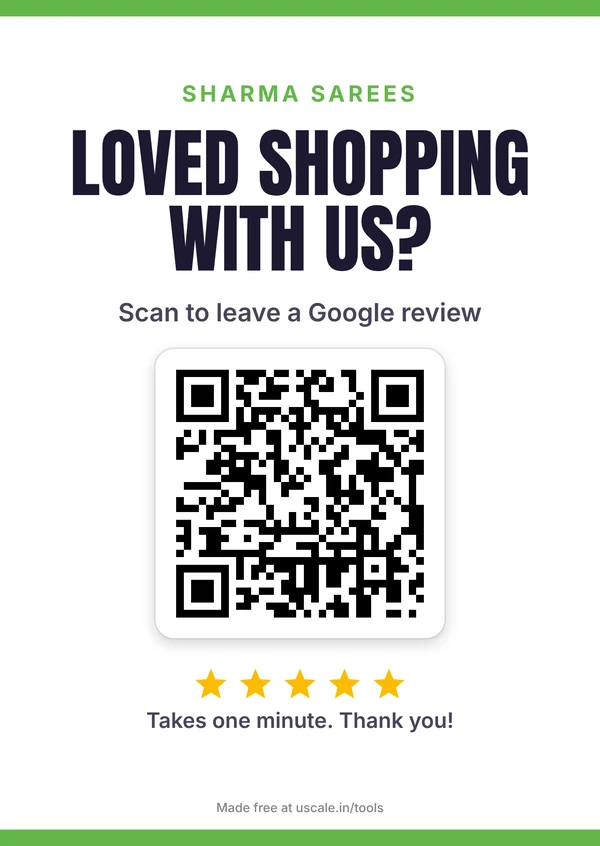
Google review link & QR code maker
Find your Google review link from any Maps link, no owner access needed. Download a QR code, a print-ready counter standee and WhatsApp messages.
- 6 designs
- Your logo
- English or Hinglish