From Google Maps (anyone)
Open Google Maps, search your business, tap Share, then Copy link, and paste it in this tool. It finds your business and builds the direct review link for you. No owner access needed.
Free tool
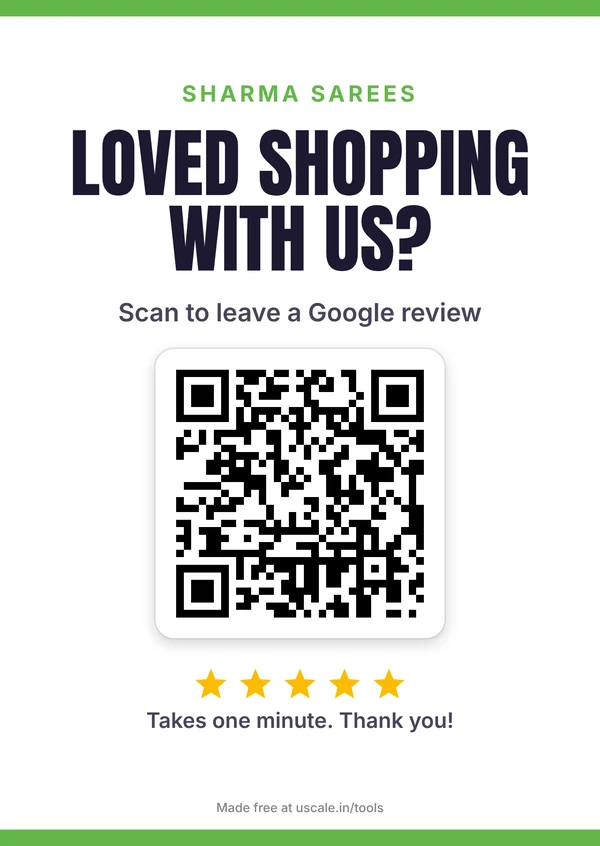
Find your Google review link in 30 seconds, even if you don’t manage the Google profile. Then download a QR code, a counter standee in 6 designs and ready WhatsApp messages in English or Hinglish. Free, no sign-up.
The simplest way to get a review is a polite message on the same day. Copy one, or send it straight from WhatsApp.
The free Google review QR code maker from U Scale finds your Google review link and turns it into a QR code and a printable counter standee, plus ready WhatsApp messages to ask customers for a review. No sign-up, and your business name, logo and wording stay in your browser.
| What you get | Your Google review link, a QR code and a printable counter standee |
|---|---|
| Extra | Ready WhatsApp messages to ask customers for a review |
| Cost | Free, no sign-up |
| Privacy | Your name, logo and wording stay in your browser |
| Made by | Mehul Karotra, U Scale, Mumbai |
Your review link
A Google review link opens the “write a review” box for your business in one tap. Pick whichever way is easiest for you.
Open Google Maps, search your business, tap Share, then Copy link, and paste it in this tool. It finds your business and builds the direct review link for you. No owner access needed.
On a computer, open business.google.com, click Read reviews, then Get more reviews, and copy the g.page/r/…/review link.
If you already know your Google Place ID (it starts with ChIJ), paste it in step 1 and the tool builds the review link from it.
Google’s help page explains the owner method: Create a Google link or QR code to request reviews. Google makes a basic QR code on a computer only; this tool works on any phone and adds printable designs and WhatsApp messages.
Stay inside the rules
Source: Google’s policy on fake engagement. For a full 30-day plan, read how to get more Google reviews.
My advice (not a Google rule): don’t set review targets for staff.
FAQ
It is a link that opens the "write a review" box for your business on Google, so customers can leave a review in one tap instead of searching for you first.
Open Google Maps, search your business, tap Share and then Copy link. Paste that link into this tool. It finds your business and turns it into a direct review link, no owner access needed. This works for staff, family members and agencies too.
On a computer, open business.google.com (or search your business name on Google while signed in), click Read reviews, then Get more reviews, and copy the link. It looks like g.page/r/…/review.
Yes. There is no sign-up and nothing to pay to remove. Your business name, logo and wording stay in your browser. Only a short Google Maps link is checked once on the U Scale server to find your business, and nothing is stored.
No. Google does not allow rewards, discounts or gifts in exchange for reviews, or asking only happy customers. Ask every customer for an honest review instead. This tool warns you if your wording looks like an incentive.
Keep the QR code at least 3 cm wide. The A6 standee prints with the QR code about 4 cm wide (4 per A4 sheet), the square table sticker prints 6 per A4 sheet, and the WhatsApp Status size is for sharing on your phone.
No. It is a plain QR code of your Google review link, with no redirect through uscale.in, so it keeps working as long as your business is on Google.
Yes. Upload your logo, pick one of 10 colour themes or your own brand colour, and choose from 6 designs: Classic, Split, Card, Festive, Minimal and Bold.
I check your Google profile, reviews and website for free and send you the five fixes that matter most.