How to Get More Google Reviews in 2026 (Without Getting Them Removed)
A step-by-step playbook for Indian shop owners: get your review link and QR code, ask at the right moment, copy ready WhatsApp messages, reply like a pro, and stay inside Google's 2026 review rules.
 Mehul KarotraFounder, U Scale
9 min read
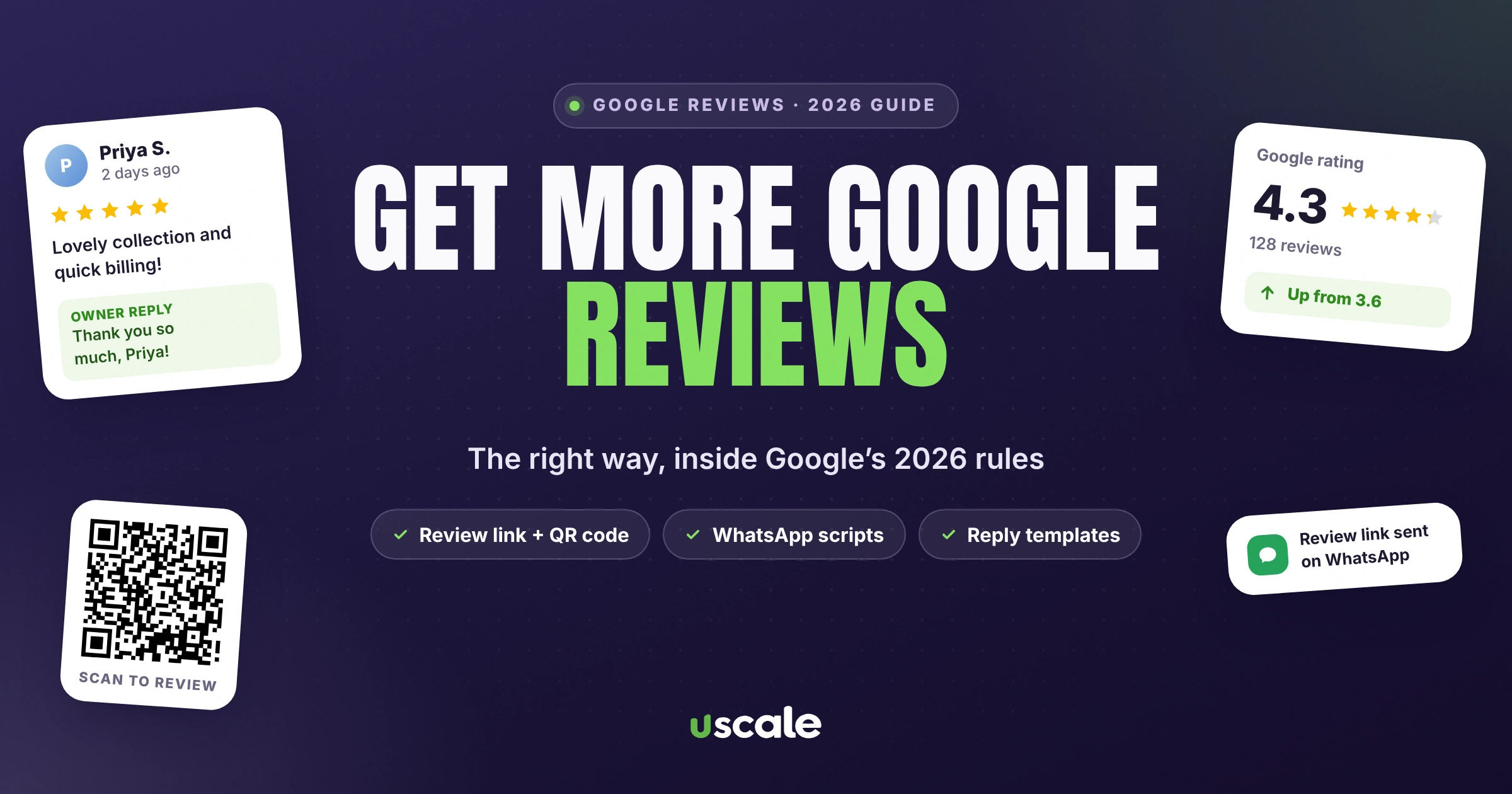
On a free audit day in Mumbai this month, I walked into a shop with hundreds of Google reviews and a rating stuck in the mid-3s. Hundreds of customers had taken the time to write something, and the stars were still telling every new visitor to keep scrolling. That is the review problem most Indian shops actually have. Not zero reviews: too few recent ones, no habit of asking, and no plan for the bad ones.
This guide is the plan. It shows you how to get more Google reviews from real customers, step by step, with copy-paste WhatsApp messages in English and Hinglish, a QR code that people actually scan, and reply templates for good and bad reviews. It follows Google's own review rules, updated in 2026, so the reviews you earn stay up.
Get your Google review link and QR code from your Business Profile.
Ask every customer, right after they pay or receive their order.
Send the link on WhatsApp the same day, with one reminder at most.
Put the QR code at the counter, on bills and in bags.
Reply to every review within a day, good or bad.
Never offer discounts or gifts for reviews, and never filter who you ask.
Why Google reviews matter more in 2026
Reviews do three jobs at once for a local business.
They help you rank on Google Maps. Google ranks local results on relevance, distance and prominence. On prominence, its own help page says that more reviews and positive ratings can help your business's local ranking. It also says there is no way to pay for a better local ranking. You have to earn it.
They close the sale before the customer walks in. In Google's 2025 India study of festive shoppers, 9 in 10 people who bought something had researched it first, with an average of 8.3 searches per shopping journey (Think with Google, 2026). Your Business Profile, and your rating, sits in the middle of those searches.
They catch people coming from Instagram. The same study found that nearly 7 in 10 Facebook and Instagram users went to Google Search after seeing a brand. A great reel brings people to Google. Your reviews decide whether they come to your shop.
That is the 3.6 trap: the longer you wait, the more reviews it takes to recover. The full maths is further down.
Step 1: Get your Google review link and QR code
Google gives every verified business a direct review link and a printable QR code. Both open the review box with your shop already selected, so the customer is one tap from writing.
On a computer, open your Business Profile at business.google.com (or search your shop's name on Google while signed in with the owner account).
Select Read reviews, then Get more reviews.
Copy the review link. To save the QR code, right-click it and choose Save image as.
Google says review QR codes can only be generated on a computer browser for now, so do this once on a laptop and keep the image on your phone. Then save the link as a quick reply in WhatsApp Business (for example, type /review to paste it).
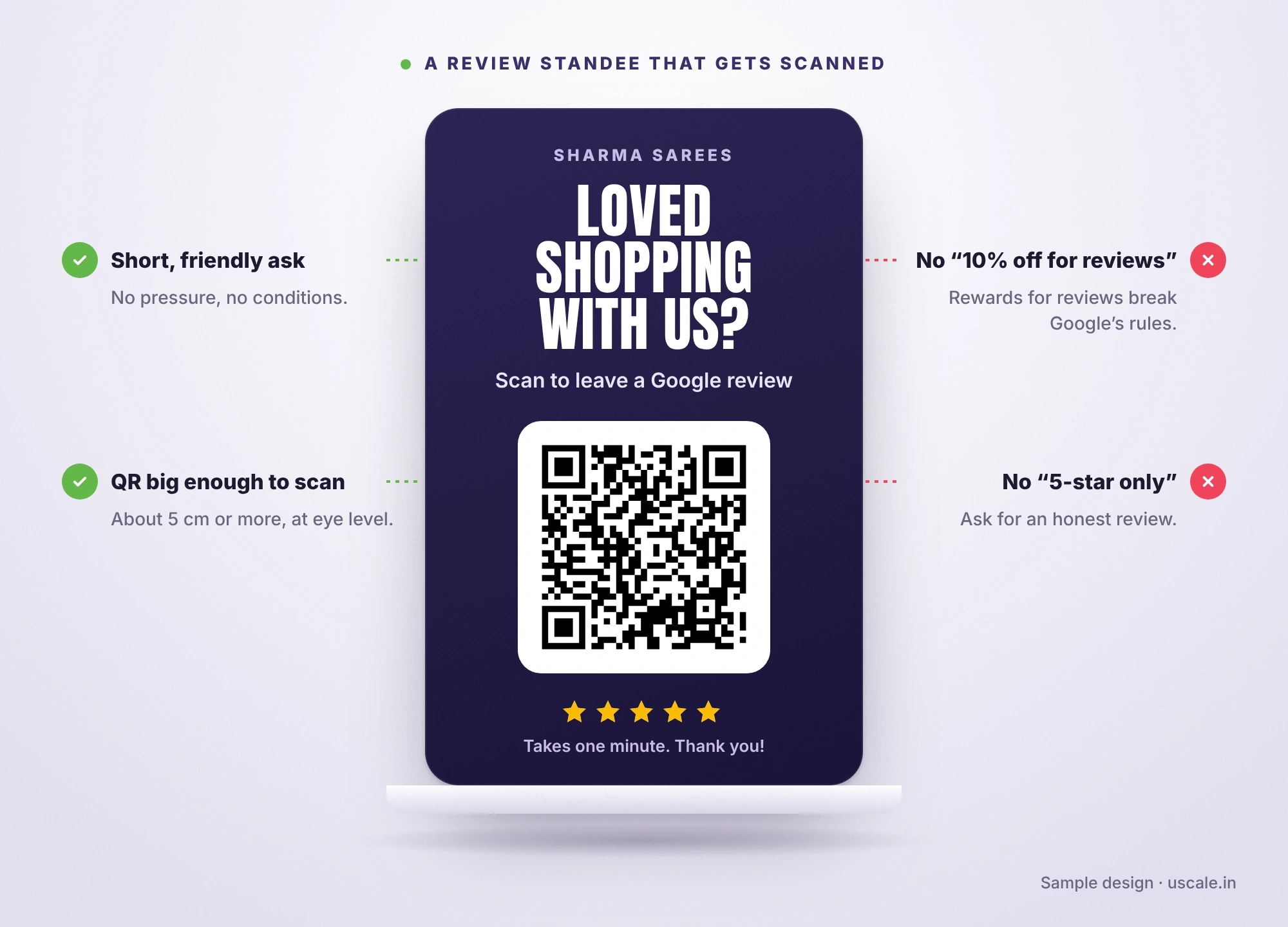
Step 2: Ask at the moment the customer is happiest
Most owners ask at the wrong time, or not at all. These are the moments that work best:
At the counter, right after payment, when the customer says thank you. A quick line: "If you liked shopping with us, a Google review really helps a small shop like ours."
When you hand over the order, after an alteration, a delivery or a service, when the result is in their hands.
The same evening on WhatsApp, while the visit is still fresh. A message with the link gets far more reviews than a request next week.
After you fix a problem. A customer whose complaint you solved properly often writes the warmest review.
Copy-paste WhatsApp review messages (English and Hinglish)
Send one message, with the link, and at most one gentle reminder. Personalise the name and what they bought. That small detail is what makes people reply.
After a purchase (English)
Hi Priya, thank you for shopping at Sharma Sarees today! If you have one minute, a Google review would mean a lot to our small family shop. Here's the link: [your review link]. Thank you, Ramesh
After a purchase (Hinglish)
Namaste Sunita ji, aaj shopping ke liye thank you! Agar aapko humari service achhi lagi, toh ek Google review zaroor dijiye, chhoti shop ke liye bahut help hoti hai: [your review link]. Dhanyavaad, Ramesh
For salons, clinics and services
Hi Arjun, hope you're happy with the haircut! We read every review and use it to get better. Would you share your experience on Google? [your review link]. See you next time, Team Glow
One gentle reminder, three days later
Hi Priya, just a small reminder in case you missed it. Your Google review helps other families find us: [your review link]. No worries if you're busy, thank you again!
What you must never add: "Get 10% off your next visit for a review" or "Leave a 5-star review and get a free gift". Google calls any discount, freebie or cashback for a review fake engagement, and it is strictly prohibited.
Where to put your QR code so it actually gets scanned
Spot | Why it works |
|---|---|
Billing counter, at eye level | Customers wait here with their phone already in hand. |
Printed on the bill or receipt | Goes home with the customer. Google itself suggests receipts. |
Inside the shopping bag or delivery box | Seen when they unpack and are happiest with the purchase. |
Trial room or waiting area | People have a minute free, and many reach for their phones. |
Table tents (cafés and restaurants) | Seen while the bill is being prepared. |
Back of your visiting card | Free to add the next time you print cards. |
NFC "tap for review" cards, which you'll see sold everywhere in India, work the same way as a QR code. They're fine to use, as long as you offer them and don't pressure anyone. Google's policy says businesses should not "require or pressure users to leave ratings or write reviews while on the premises". Hand the card over, smile and step away.
What Google does not allow (and what gets reviews removed)
Every rule below comes from Google's policy on fake engagement. Break them and Google can remove the reviews, and in serious cases restrict or suspend your Business Profile.
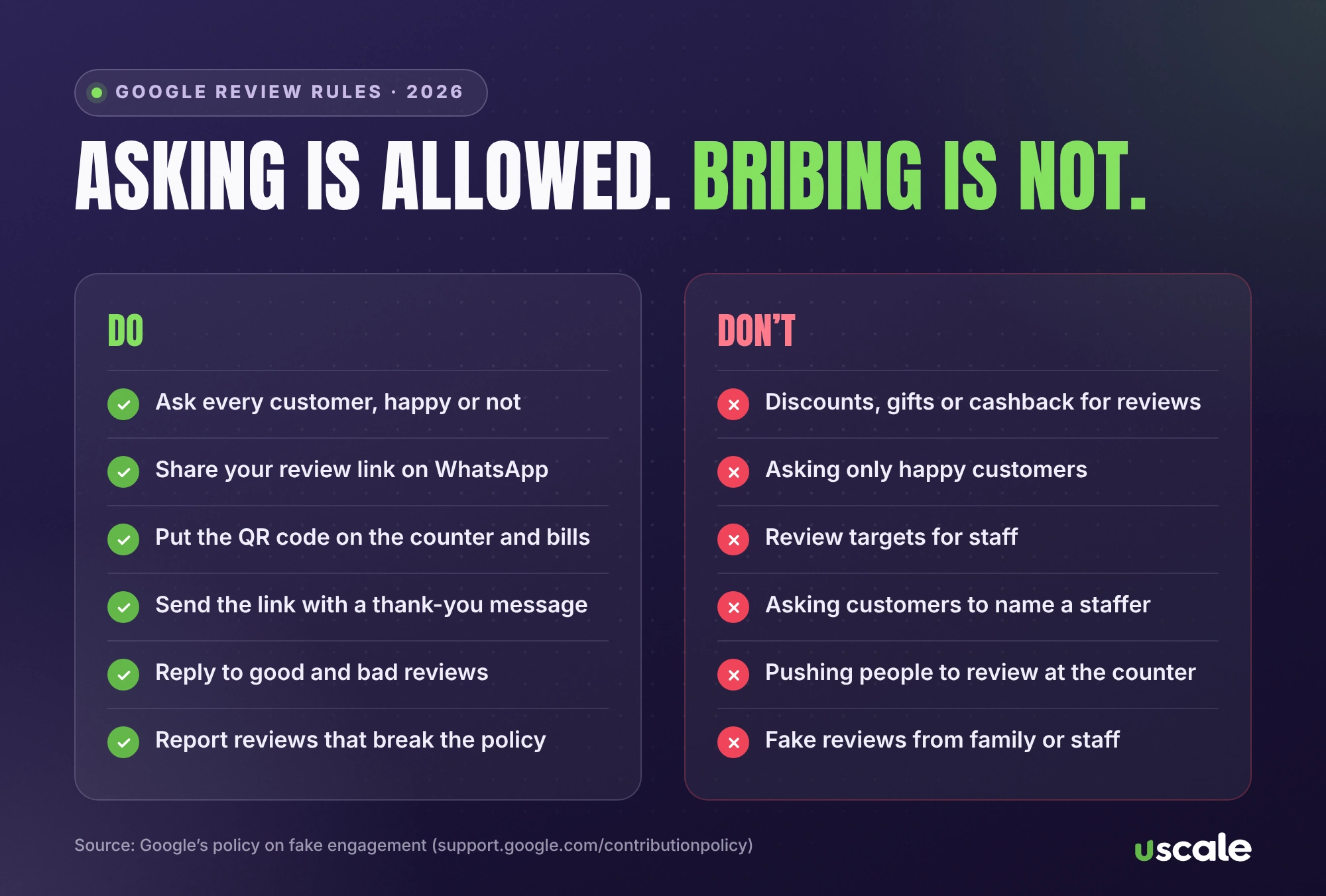
Don't | What Google's policy says |
|---|---|
Give a discount, gift or cashback for a review | Incentives in exchange for reviews are not allowed. |
Ask only happy customers, or screen people first | No selectively soliciting positive reviews. |
Set review targets for your staff | No requests that staff "solicit a certain number of reviews". |
Ask customers to name a staff member | No requests for content that identifies a staff member. |
Make customers review at the counter while you watch | Don't require or pressure reviews on the premises. |
Review yourself, or use family and staff accounts | Reviews with a conflict of interest are not allowed. |
Buy reviews or use "Google review task" jobs | Reviews posted from many accounts at one person's request are fake. |
Two more rules are worth knowing in 2026:
On your website: In July 2026, Google added a line to its review snippet guidelines: "don't include fake or undisclosed incentivized reviews" in your page or structured data (Google Search Central). If your site shows star ratings, every review behind them must be genuine.
In India: Since November 2022, India has had a national standard for online reviews, IS 19000:2022. It says paid or sponsored reviews must be disclosed, and bought reviews have no place on a review platform.
How to reply to Google reviews, with examples
Replying shows new customers that a real person runs the shop. Google lists responding to reviews among its tips for improving your local ranking, and its advice for replies is simple: reply in good time, keep it short, be polite and honest, and sign off with your name. Don't use replies to push offers.
Reply to a positive review
Thank you so much, Neha! We're glad the lehenga was ready in time for the wedding. Do send us a photo, we'd love to see it. Ramesh, Sharma Sarees
Reply to a negative review (genuine complaint)
Sorry about the long wait on Saturday, Vikram. That's not the experience we want for anyone. We've added a second person at billing on weekends. Please message me on 98XXXXXXXX and I'll personally help with your exchange. Ramesh
Reply to a review you believe is fake
Hi, we couldn't find any visit or order under this name, and we'd really like to understand what happened. Please contact us on 98XXXXXXXX so we can look into it. Ramesh
Then flag it. In your Business Profile, open the review, select the three dots and choose Report review. You can follow up through Google's review management tool. Google removes reviews that break its policies. It does not remove genuine negative reviews just because they hurt, which is why a calm public reply matters so much.
The review maths: why a 3.6 takes so long to fix
Here's the part most owners never calculate. A rating is roughly an average, so every new five-star review moves it less as your total grows. Google doesn't publish its exact formula, so treat these as simple-average estimates, but the lesson holds.
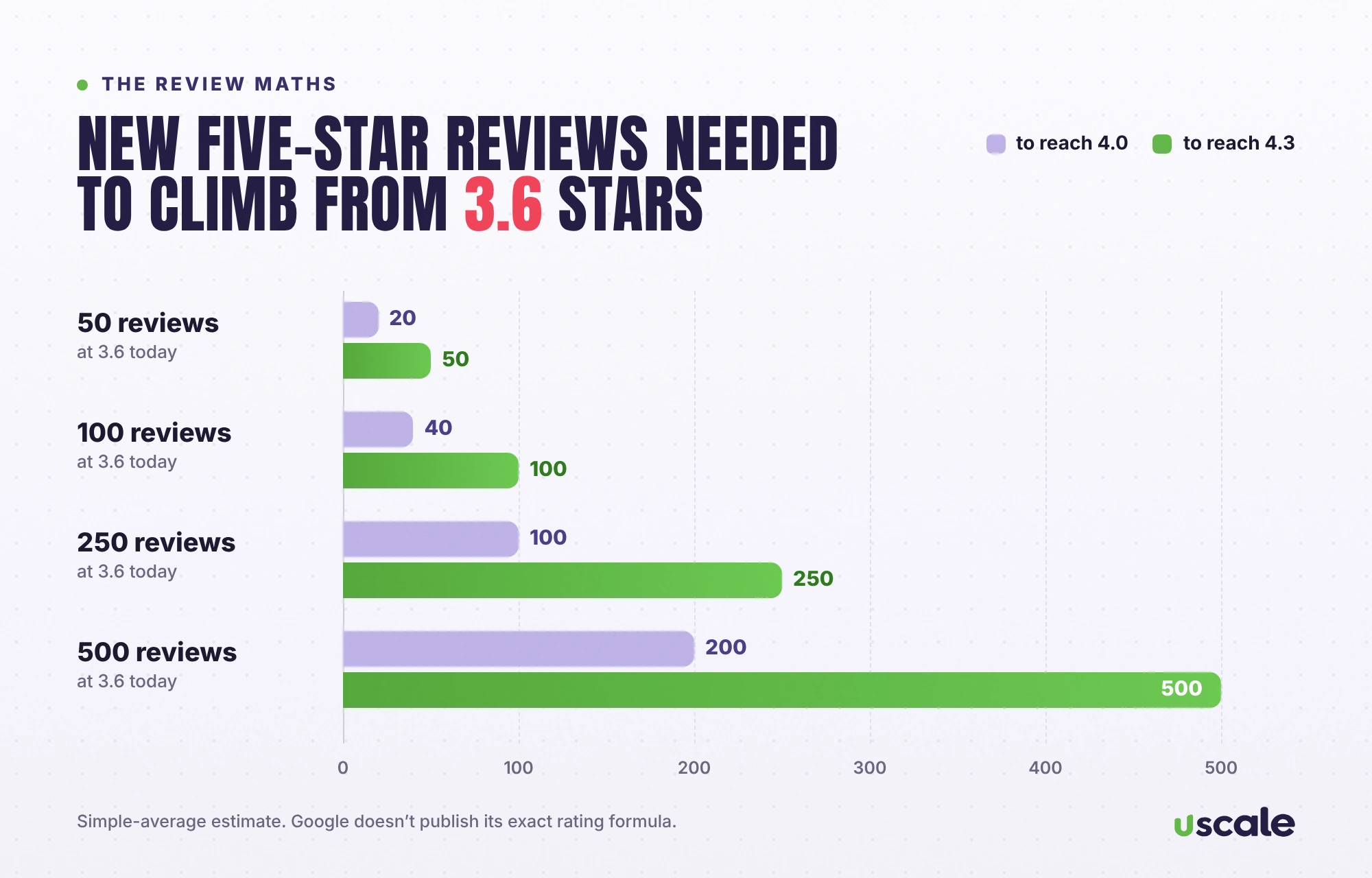
Your reviews today | Five-star reviews to reach 4.0 | Five-star reviews to reach 4.3 |
|---|---|---|
20 reviews at 3.3 | 14 | 29 |
50 reviews at 3.6 | 20 | 50 |
100 reviews at 3.6 | 40 | 100 |
250 reviews at 3.6 | 100 | 250 |
500 reviews at 3.6 | 200 | 500 |
Look at the last column: going from 3.6 to 4.3 takes as many new five-star reviews as you already have. You can't fix that in a weekend, and you can't fix it by buying reviews either. What works is a steady habit, five or ten genuine reviews a week, plus fixing the problems the bad reviews complain about.
A 30-day plan to get more Google reviews
Days 1–3: Get your review link and QR code. Save the WhatsApp quick reply. Reply to your last 20 reviews.
Days 4–10: Put the QR code at the counter and on the bill. Ask every customer, every day, with the same short line.
Days 11–20: Message everyone who bought from you in the last month, using the templates above. Send one reminder, no more.
Days 21–30: Reply to every new review within a day. Read the complaints, fix the top one, and say so in your replies.
Run this every month and your rating starts to move. It also shows Google an active, well-reviewed business, which is exactly what it rewards. Before the festive rush, pair it with our Diwali 2026 Google checklist.
Want more Google reviews without the guesswork?
I'll audit your Google Business Profile for free and set up your review link, QR standee and WhatsApp scripts for your shop.
If you'd rather hand it over completely, my local SEO and Google Business Profile service covers review requests, replies and monthly reporting. Every price is on the pricing page.
Frequently asked questions
No. Google says offering free or discounted goods or services in exchange for reviews is fake engagement and is strictly prohibited. Reviews collected this way can be removed, and repeated violations can put your Business Profile at risk. You can ask every customer for an honest review, just don't reward them for it.
On a computer, open your Business Profile at business.google.com, select Read reviews, then Get more reviews. Copy the link, and right-click the QR code to save it. Google currently generates review QR codes only in a computer browser, not on mobile.
Yes. Google itself suggests sharing your review link by email, WhatsApp or social media. Send it to every customer, not only the happy ones, keep it to one message and one reminder, and never attach a discount or gift to the request.
Google removes reviews it believes break its policies, for example reviews that were incentivised, posted from related or multiple accounts, or written with a conflict of interest such as by staff or family. Reviews can also vanish if the reviewer deletes them or their account. Asking all customers honestly, with no rewards, is the best protection.
You can't remove a genuine negative review, but you can report reviews that break Google's policies. Open the review in your Business Profile, select the three dots and choose Report review, then track it in Google's review management tool. Meanwhile, post a calm public reply so new customers see your side.
Google lists responding to reviews among its tips to improve local ranking, and it says more reviews and positive ratings can help your business's local ranking. Replies also show new customers that a real person runs the business, which helps turn profile views into visits.
There's no magic number. Look at the top three businesses in your category on Google Maps near you and aim to match their count and rating, with a steady flow of recent reviews. Five to ten genuine reviews a week makes a visible difference within a few months.
Written by Mehul Karotra
Mehul Karotra is a UI/UX developer-designer in Mumbai. Through U Scale he personally builds websites and runs SEO, social media, ads and AI search visibility for Indian businesses.