Why Is My Business Not Showing on Google Maps? 11 Fixes (2026)
Can't find your shop on Google Maps, even when you search its name? Here are the 11 reasons it happens, in the order to check them, with the fix for each.
 Mehul KarotraFounder, U Scale
7 min read
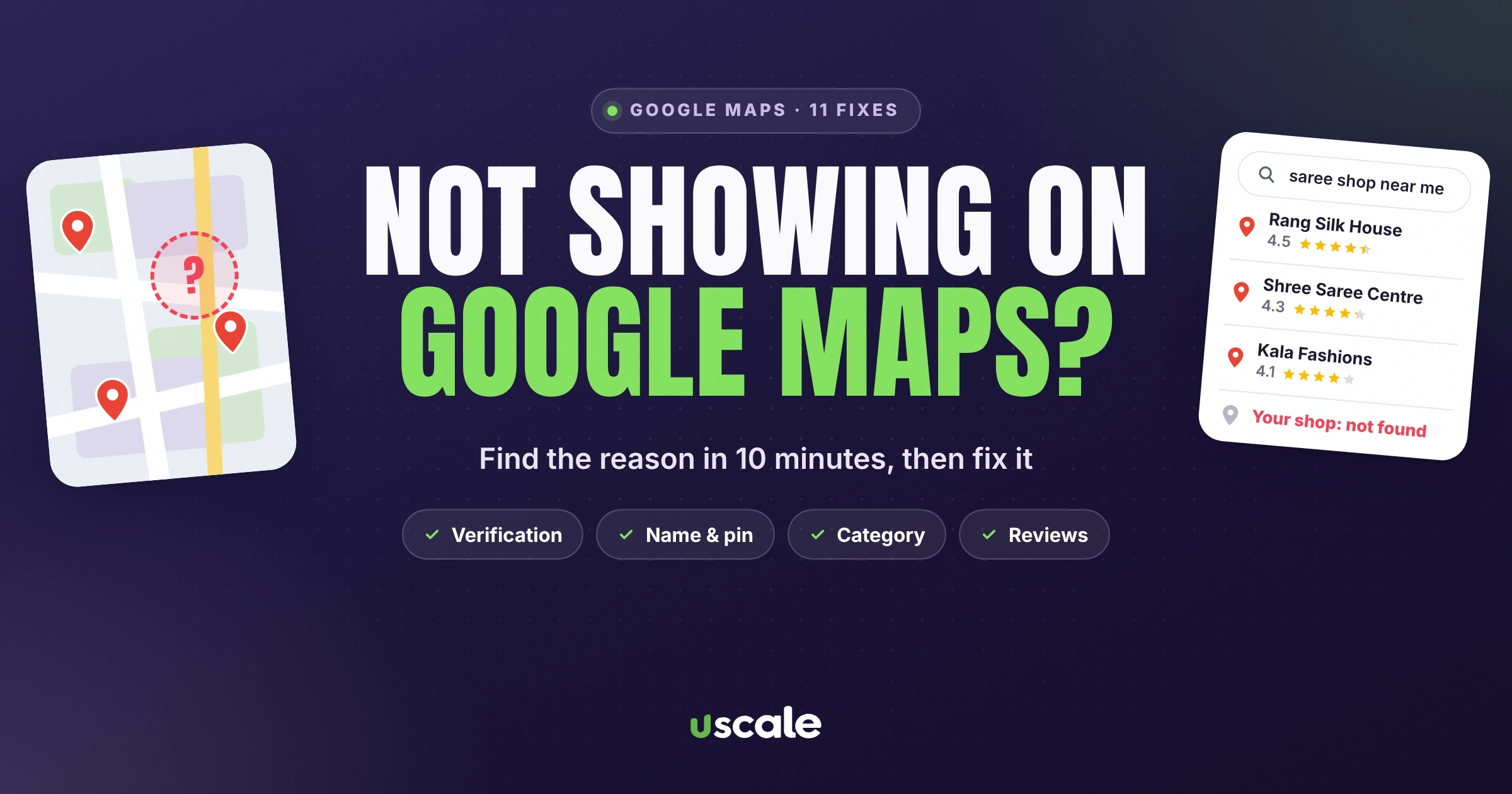
A customer stands outside your shop, types what you sell into Google Maps, and three other shops come up. Not yours. It happens to good, busy businesses every day in Mumbai, and the cause is almost never "Google doesn't like you". When a business is not showing on Google Maps, it's usually one of a handful of fixable problems: an unverified profile, a wrong category, a name that breaks the rules, or a profile Google can't trust.
This guide walks through every reason your business isn't showing on Google Maps or Search, in the order I check them during an audit, with the fix for each. Most take less than ten minutes.
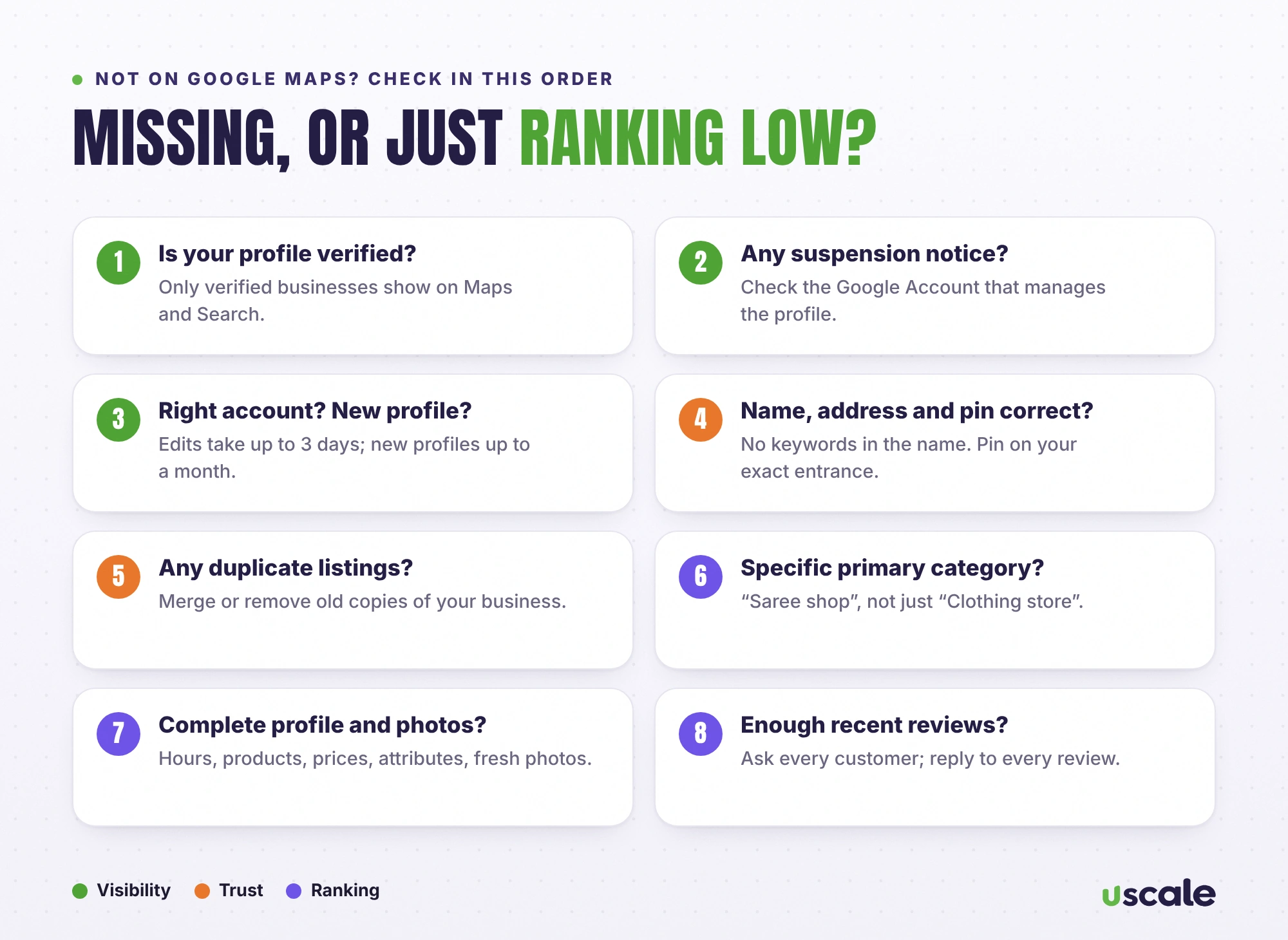
First, are you missing or just ranking low?
These are two different problems with different fixes. Search your exact business name plus your area on Google Maps (for example, "Sharma Sarees Andheri East").
You don't appear even for your own name: it's a visibility problem. Start with fixes 1 to 6 below.
You appear for your name, but not for "saree shop near me": it's a ranking problem. Jump to fixes 7 to 11.
Business not showing on Google Maps at all? Visibility fixes
1. Your profile isn't verified
This is the big one. Google says plainly that only verified businesses can show their business info on Maps and Search. Open business.google.com while signed in. If you see a "Get verified" prompt, finish it. Google may ask for a short video of your shop, signage and tools of the trade, so film in daylight with your board clearly visible.
2. Your profile is suspended or disabled
If a profile breaks Google's guidelines, Google can disable or suspend it, and it stops showing to customers until the issue is fixed. Google sends a notice to the Google Account that manages the profile, so check that inbox (and its spam folder). Fix the cause first, usually the name, address or category, then request a review from inside your profile.
3. You're searching from the wrong account (or it's just new)
To see and manage your own profile, you need to be signed in to the Google Account linked to it. Search "my business" on Google, or open the Maps app and tap Business. Also give Google time: edits can take up to 3 days to appear, and Google says a new business can take up to a month to show in search rankings.
4. Your business name breaks the rules
Names like "Sharma Sarees – Best Saree Shop in Andheri" feel clever, but Google's guidelines say your name must match your real-world name, with no taglines, extra keywords or location details unless they're part of your actual name. Breaking this can get the profile suspended. Use the exact name on your signboard.
5. Your address or map pin is wrong
A typo in the address, the wrong building, or a pin dropped across the road makes Google less sure where you are. In my audits this is one of the most common problems: a misspelled street, a missing shop number, or a pin on the wrong side of a flyover. Check the full address word by word, then zoom in on the map and drag the pin onto your exact entrance.
6. There are duplicate listings of your business
Old listings created by staff, previous owners or customers split your reviews and confuse Google. Search your name and phone number on Maps. If you find a duplicate, use "Suggest an edit", then "Close or remove", then "Duplicate", or claim it and ask Google to merge it.
Ranking problems: you show up, but not where customers look
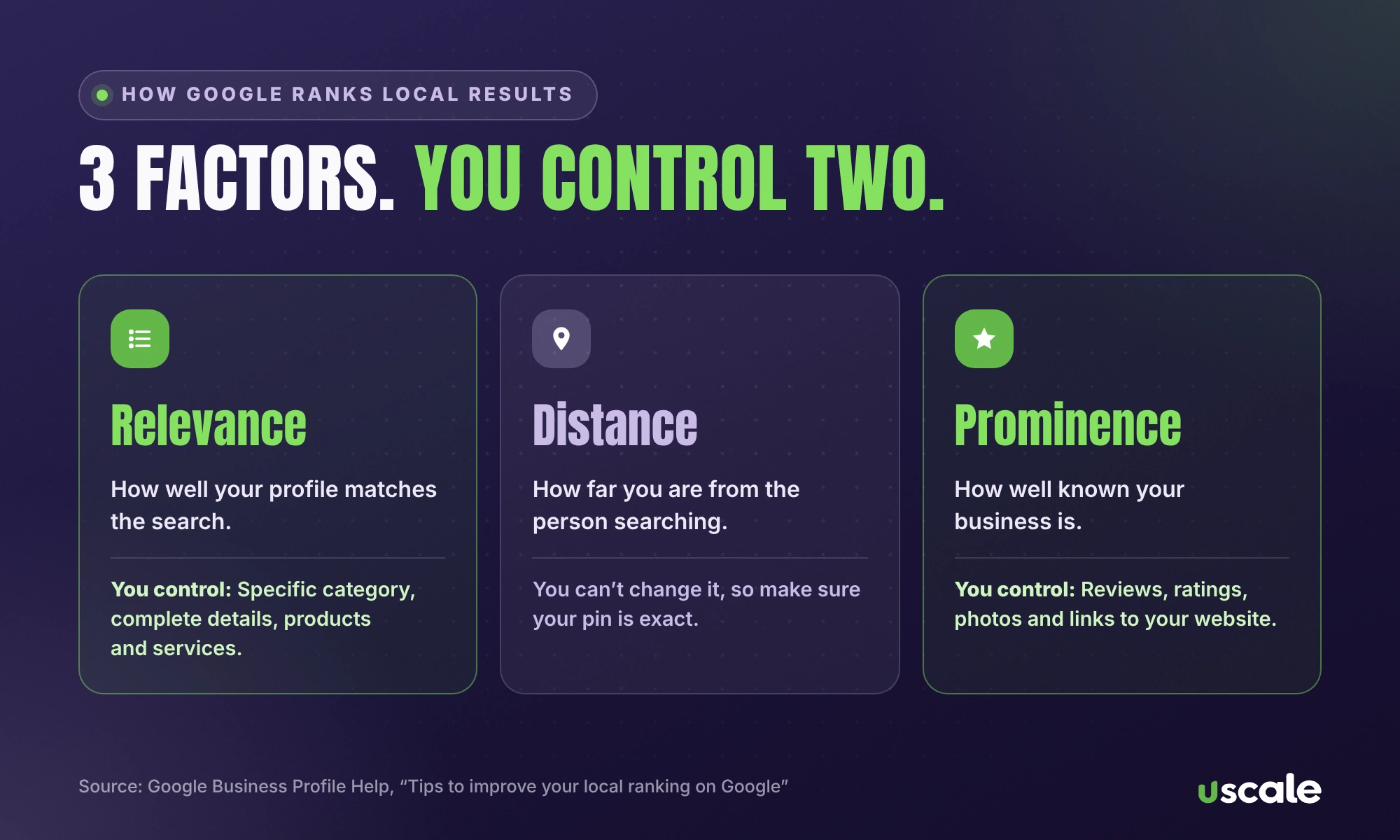
Google ranks local results on three things: relevance (how well your profile matches the search), distance (how far you are from the person searching) and prominence (how well known you are, including reviews and links). That's from Google's own explanation, which adds that there's no way to pay for a better local ranking. You can't change distance, so work on the other two.
7. Your primary category is too broad or wrong
Your primary category decides which searches you're eligible for. A saree shop listed only as "Clothing store" competes with every clothes shop in the area. Pick the most specific category that describes your main business, then add up to a few secondary ones for the rest.
8. Your profile is incomplete
Fill in everything Google offers: hours, phone, website, services or products with prices, attributes like wheelchair access or online payments, and a description in plain language. Google lists complete, accurate information as the first way to improve your local ranking.
9. You have few reviews, or a low rating
Google says more reviews and positive ratings can help your local ranking, and replying to reviews shows you value feedback. If your competitors have 300 reviews and you have 12, that gap is hurting you. My guide on how to get more Google reviews has a 30-day plan with ready WhatsApp messages.
10. Your photos are old, few or missing
Profiles with real, recent photos look open and trustworthy. Add your shop front (so people recognise it from the street), the inside, your products, and your team. Google recommends adding photos and videos to show customers what you offer.
11. Your website doesn't back up your profile
Prominence also comes from what the rest of the web says about you. A simple website with your exact name, address and phone number, a page for each main service, and links from local directories helps Google trust your profile. If you don't have one, a small business website is one of the best long-term investments for local search.
Address problems that are common in Indian cities
Indian addresses are messy, and Google's systems have to match yours against what customers, delivery apps and other maps say. These are the patterns I see most often in Mumbai audits:
Missing shop or unit number. In a building or market with 40 shops, "Sunrise Shopping Centre, Andheri East" isn't enough. Add your shop number and floor.
Different spellings of the same place. "Gundavali", "Gundawali" and "Gundvali" may all appear online. Use the spelling on your signboard and official documents, and use it the same way everywhere.
A name in two languages. If your board shows the name in Marathi or Hindi as well as English, use the English name in your profile and keep it identical across Google, your website and directories, rather than creating a second listing in the other language.
Landmarks inside the address. "Opp. station" and "Near Vishal Hall" help people, but they belong in your description or directions, not in the business name.
Home-based and service businesses. If customers don't visit you, such as a home tutor, an electrician or a caterer, set a service area and hide your home address, rather than using a fake shop address. Google's guidelines don't allow virtual offices or addresses you don't actually operate from.
What not to do when your profile is suspended
Don't create a new profile. It's tempting, but duplicate profiles for the same business break Google's guidelines and usually make things worse.
Don't keep editing randomly. Every edit can trigger another review. Fix the specific problem (usually the name, address or category) once, then request reinstatement.
Don't pay anyone who promises "instant reinstatement". Only Google can reinstate a profile. Keep proof ready instead: shop photos with your signboard, a utility bill or GST certificate in the business name, and a short video of the premises.
How long until you show up on Google Maps?
Situation | What Google says |
|---|---|
You edited your profile | Changes can take up to 3 days to show |
Brand-new business profile | Can take up to a month to appear in search rankings |
Suspended profile | Hidden until the issue is fixed and the profile is reinstated |
Ranking improvements (reviews, photos, website) | No fixed timeline; expect weeks to months of steady work |
Still can't find your shop on Google Maps?
Send me your shop name and area. I'll check your Google Business Profile for free and tell you exactly what's holding it back.
If the fix needs ongoing work, my local SEO service handles your Business Profile, reviews and local rankings every month, with prices on the pricing page.
Frequently asked questions
The most common reasons are an unverified Business Profile, a suspended profile, a business name or address that breaks Google's guidelines, a wrong map pin, or simply a new profile that Google hasn't ranked yet. Start by checking verification and any notices in the Google Account that manages your profile.
Google says edits can take up to 3 days to appear, and a new business can take up to a month to show in search rankings. If it's been longer, check that the profile is verified and not suspended.
That's a ranking problem, not a visibility problem. Google ranks local results on relevance, distance and prominence. Choose the most specific primary category, complete every part of your profile, add recent photos and earn more reviews to improve relevance and prominence.
No. Google states there's no way to request or pay for a better local ranking. Google Ads can show your business in ad slots, but organic Maps rankings have to be earned.
It can backfire. Google's guidelines require your real-world business name without taglines, extra keywords or locations, and breaking them can get your profile suspended. Use the name on your signboard.
Written by Mehul Karotra
Mehul Karotra is a UI/UX developer-designer in Mumbai. Through U Scale he personally builds websites and runs SEO, social media, ads and AI search visibility for Indian businesses.