Diwali 2026 Marketing Ideas for Small Businesses (12 Google Fixes)
Dhanteras is on 6 November and Lakshmi Puja on 8 November 2026. Here's a dated, three-week checklist to get your shop found on Google Search and Maps before the festive rush.
 Mehul KarotraFounder, U Scale
7 min read
Every Diwali, people who have never heard of your shop go looking for exactly what you sell. A saree for Lakshmi Puja, a gift hamper for the office, a salon slot before Bhai Dooj. Most of them start on Google. If your Business Profile has the wrong hours, old photos and no offer, they pick the shop that looks ready.
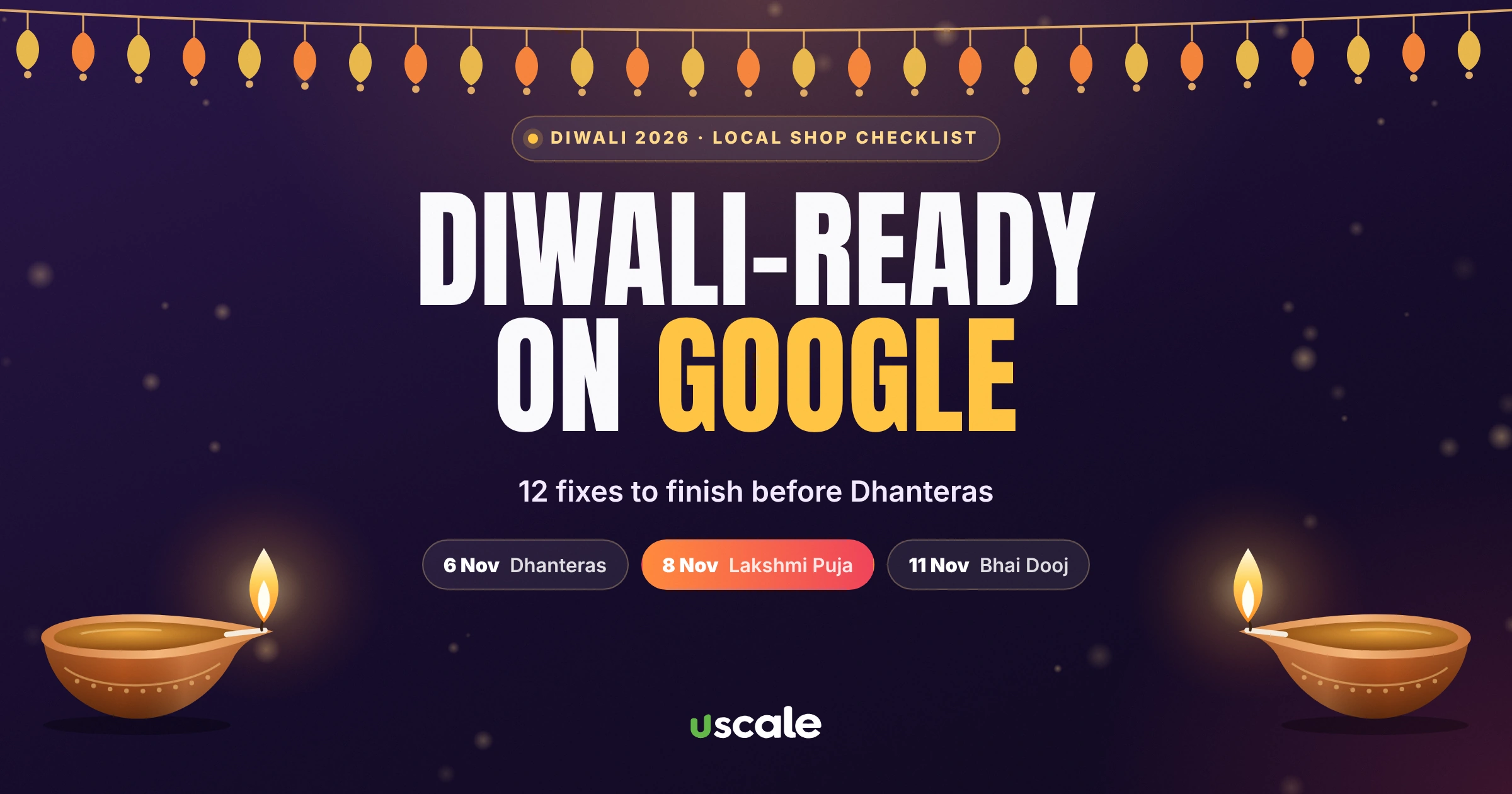
In 2026, Dhanteras falls on Friday, 6 November and Lakshmi Puja on Sunday, 8 November. That gives you about three weeks. Below are 12 Diwali marketing ideas for small businesses, all of them changes you can make on Google yourself, arranged as a dated checklist so you know exactly what to do this week, next week and in Diwali week.
Diwali 2026 dates that matter for your shop
Day | Date | What it means for footfall |
|---|---|---|
Dhanteras | Friday, 6 November 2026 | Peak day for gold, silver, utensils and electronics |
Choti Diwali and Lakshmi Puja | Sunday, 8 November 2026 | Last-minute clothes, sweets, puja items and gifts |
Govardhan Puja | Tuesday, 10 November 2026 | Many shops close or run short hours |
Bhai Dooj | Wednesday, 11 November 2026 | Gifting, sweets, salons and restaurants |
Dates follow the 2026 Hindu calendar for India. Puja muhurat times vary by city, so check your local panchang.
How festive shoppers find local shops in 2026
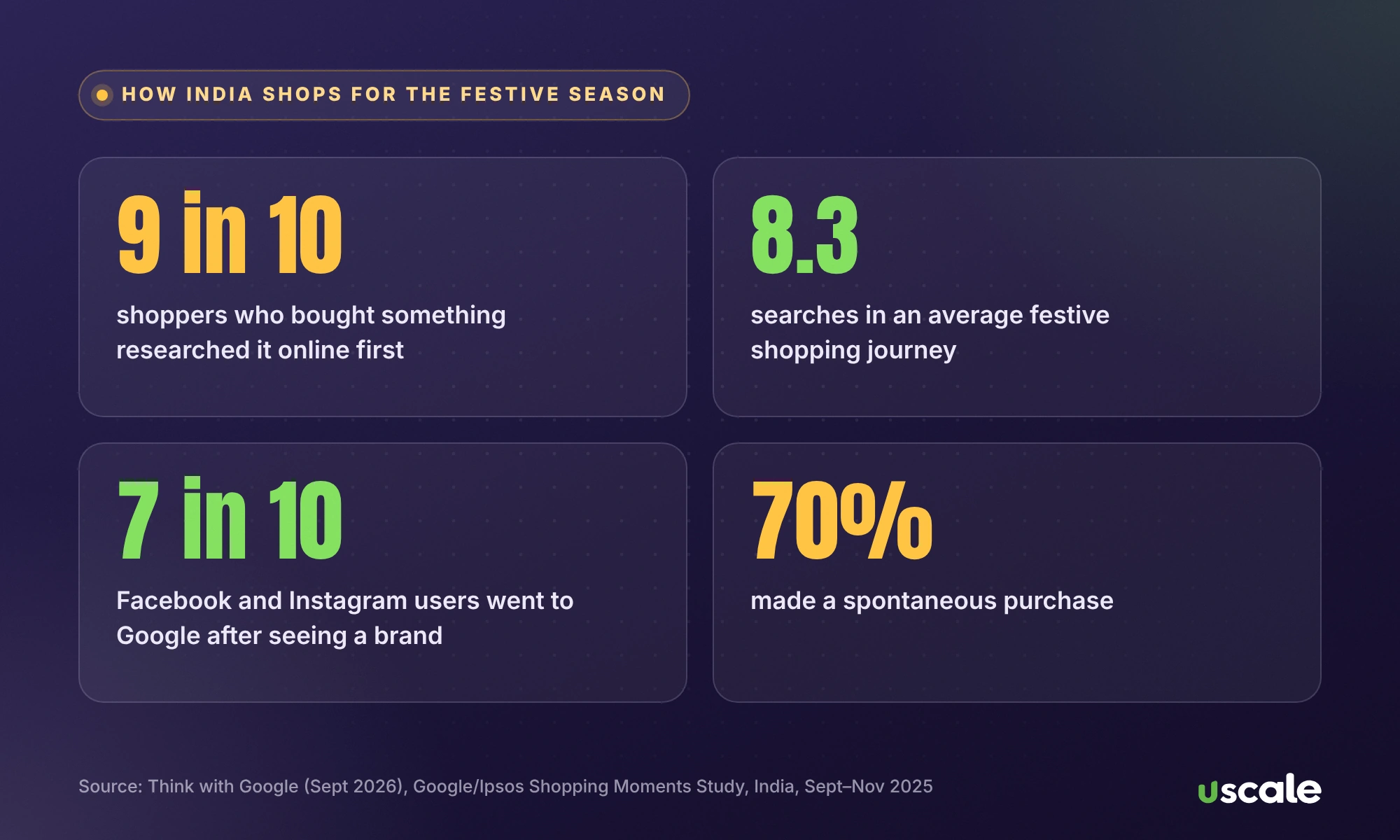
Google's own research on Indian festive shoppers, published in September 2026, explains why your Google presence matters more than your banner outside (Think with Google, Google/Ipsos Shopping Moments Study, India, Sept–Nov 2025):
9 in 10 shoppers who made a purchase researched it first.
The average shopping journey involved 8.3 searches and 7.7 online videos.
Nearly 7 in 10 Facebook and Instagram users went to Google Search after seeing a brand.
70% of shoppers made a spontaneous purchase, so a shop that looks open, stocked and well reviewed wins impulse buyers.
Shoppers used generative AI chatbots 7.5 times on average during their journey, and 51% said AI helped them decide.
Google also notes that search interest in "Diwali sales" started rising as early as August. Your customers are already looking. The checklist below makes sure they find you.
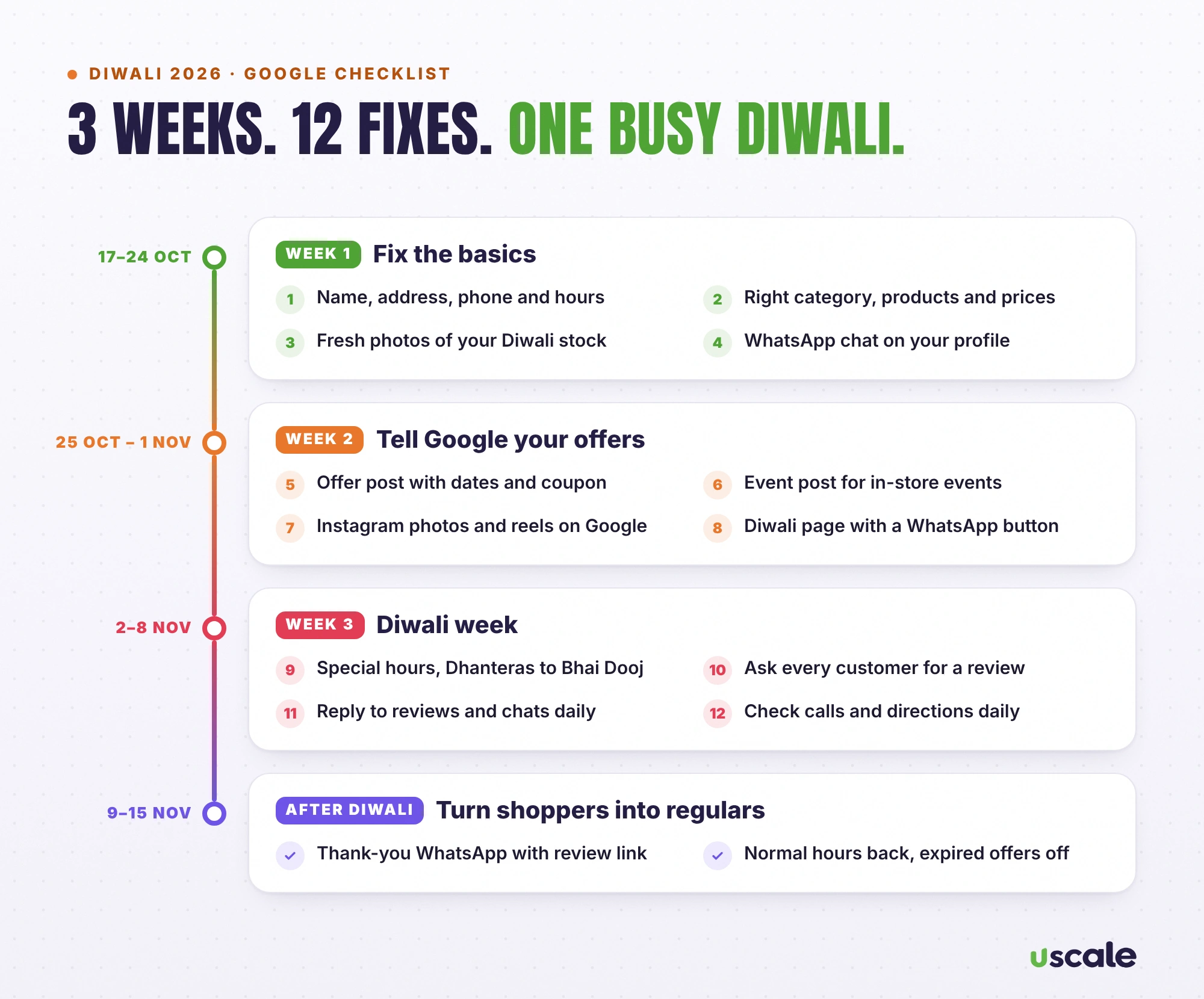
Week 1 (17–24 October): fix the basics
1. Check your name, address, phone and hours
This sounds obvious, but in my audits it's where most problems are: a typo in the address, an old phone number, a business name spelled differently from the board outside. Open your profile on business.google.com and read every line as if you were a new customer. Keep the name exactly as it appears on your signboard. Google's guidelines don't allow extra keywords, taglines or locations in the name, and breaking them can get your profile suspended right before your busiest week.
2. Pick the right category and add your products or services
Your primary category tells Google which searches to show you for. Make sure it describes your main business ("Saree shop", not just "Clothing store", if sarees are what you sell). Then add your key products or services with prices. Customers compare prices on Google before they visit.
3. Upload fresh photos of your Diwali stock
Upload real photos of your festive range, your decorated shop front and your team. Skip stock images. Google says adding photos and videos helps show people what you offer, and up-to-date photos tell shoppers you're open and ready for Diwali.
4. Turn on WhatsApp chat on your profile
Most Indian customers would rather send a WhatsApp message than make a call. Google lets you add a WhatsApp chat button: Edit profile, then Contact, then Chat, and paste your WhatsApp click-to-chat link. (Google is rolling this out region by region, so the option may not appear for everyone yet.) Then save quick replies for prices, timings and directions.
Week 2 (25 October – 1 November): tell Google about your offers
5. Publish a Diwali offer post
Google Business Profile has a dedicated Offer post type, with a title, start and end dates, and optional coupon code and terms (Google help). It shows a "View offer" button on Search and Maps. Write a specific offer ("Flat 15% off silk sarees, 25 Oct–8 Nov") rather than "Diwali sale". You can now schedule posts in advance, so set up your whole festive series in one sitting.
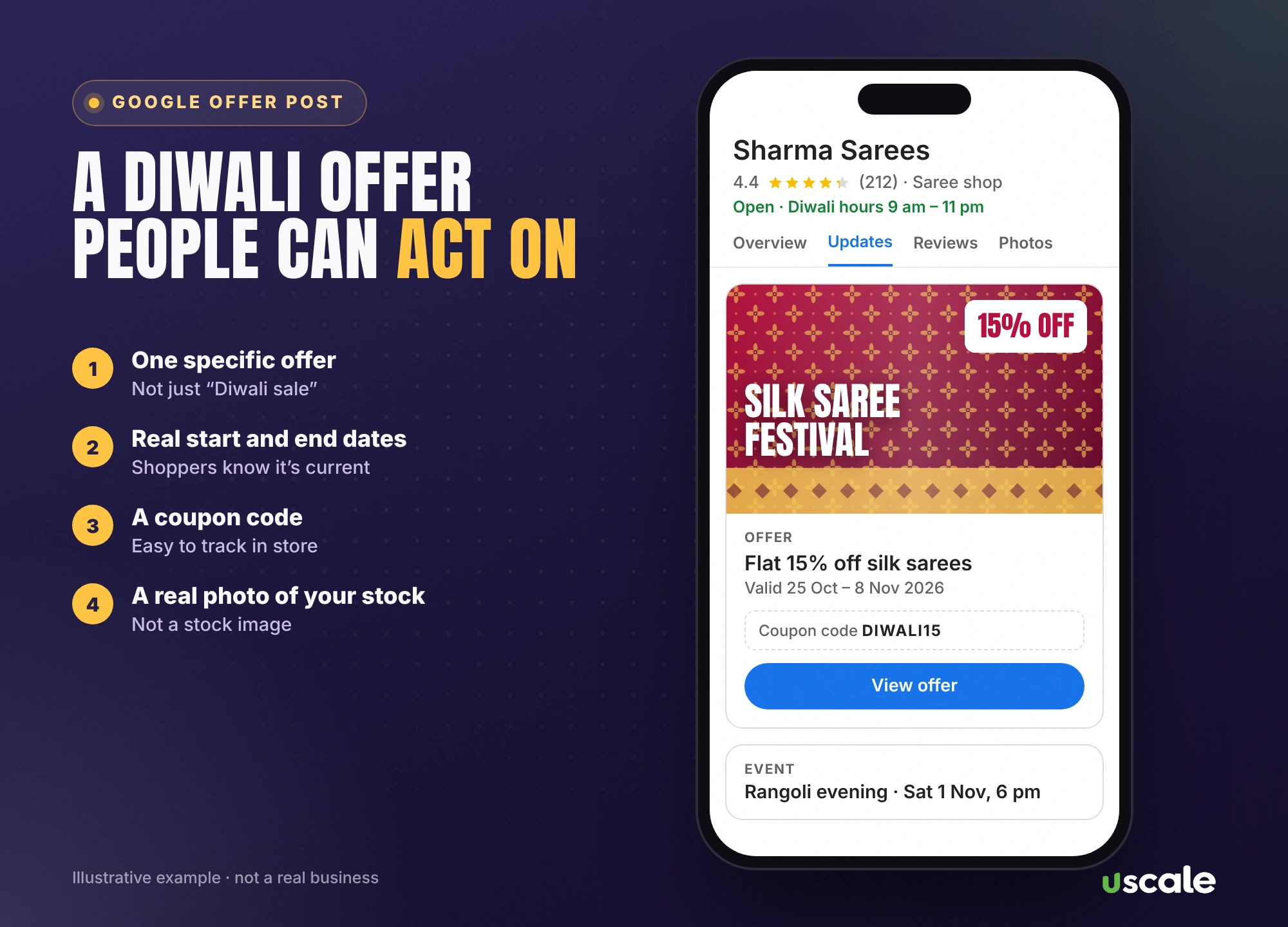
6. Add an event post for anything happening in-store
A rangoli competition, a mehendi artist on Saturday, a Dhanteras opening at 8 am: use an Event post with exact dates and times. Events give people a reason to visit on a specific day.
7. Post your best Instagram content on Google too
Remember the number above: 7 in 10 Instagram and Facebook users go to Google after seeing a brand. Upload the same photos and short videos from your Instagram to your Google profile, so the shopper who searches you finds the same festive collection they just saw.
8. Give your website a Diwali page with a WhatsApp button
If you have a website, add one simple page: your festive range, prices, timings, location and a WhatsApp button. Link it from your offer post. If you don't have a website yet, your Google profile and WhatsApp can carry you through Diwali, and a proper website can wait until after the rush.
Week 3 (2–8 November): be open, be visible, be quick
9. Set special hours from Dhanteras to Bhai Dooj
Nothing loses a Diwali customer faster than reaching a closed shutter that Google said was open. Set special hours for every festive day: Edit profile, then Hours, then Special hours (Google's steps). Google recommends confirming holiday hours even when they match your normal timings, so customers know they're accurate. Mark the days you're closed too.
10. Ask every Diwali customer for a review
Diwali is your busiest week, which makes it your best week for reviews. Put your review QR code at the counter and send the link on WhatsApp the same evening. Never offer a discount or gift for a review, because Google treats that as fake engagement. My full guide shows how to get more Google reviews the right way, with ready-made messages.
11. Reply to every review and message within the day
Festive shoppers decide fast. A WhatsApp message answered tomorrow is a sale lost today. Have one person check Google messages and reviews twice a day, and reply in short, polite, signed messages.
12. Watch your Performance tab every evening
Your Business Profile shows calls, direction requests, website clicks and chat clicks. Check them every evening in Diwali week. If calls are high but visits are low, your directions or hours may be wrong. If views are high but calls are low, your photos or offer may need work.
After Diwali (9–15 November): turn festive shoppers into regulars
Send a thank-you message on WhatsApp to everyone who bought, with your review link.
Put your normal hours back, and check that any expired offer post has ended.
Note what sold out and what didn't, and which posts got the most views. That's your plan for the wedding season.
5 more Diwali marketing ideas for small businesses
Google gets customers to your door. These ideas, which cost little or nothing, get more of them to buy, and to come back.
A WhatsApp broadcast to past customers. Send one message with your festive collection, prices and timings to people who have already bought from you, and only to people who saved your number or opted in. A short video of the shop works better than a long text.
Three reels, not thirty. One of your best-sellers, one behind-the-scenes (packing gift orders, decorating the shop) and one of a happy customer, with their permission. Remember that Instagram viewers check you on Google next.
Ready-made gift bundles at clear prices. "Diwali gift box under ₹999" is easier to buy than choosing items one by one, and it's easier to promote in an offer post.
A tie-up with the shop next door. A sweet shop and a gift shop, or a salon and a boutique, can put each other's QR code or offer on the counter. It's free footfall for both.
A festive loyalty card. Stamp every purchase between Dhanteras and Bhai Dooj and give a small gift on the third visit. It rewards purchases, not reviews, so it stays within Google's rules.
5 Diwali marketing mistakes that cost local shops customers
Mistake | Why it hurts |
|---|---|
Adding "Best Diwali Sale" or your area to the business name | Breaks Google's name rules and can get the profile suspended in peak week. |
Giving discounts in exchange for reviews | Google can remove those reviews, and the profile can be penalised. |
Not setting holiday hours | Customers arrive at a closed shop and leave angry reviews. |
Posting only on Instagram | Most shoppers check Google before they visit. |
A vague "Diwali offer" with no dates or prices | People can't act on it, so they don't. |
Want your shop Diwali-ready on Google this week?
I'll check your Google Business Profile for free and tell you exactly what to fix before Dhanteras.
Want help beyond the checklist? I run local SEO and Google Business Profile management, social media for festive campaigns and Google and Meta ads for shops across Mumbai, with every price on the pricing page.
Frequently asked questions
Lakshmi Puja, the main Diwali day, is on Sunday, 8 November 2026. Dhanteras is on Friday, 6 November, Govardhan Puja on Tuesday, 10 November, and Bhai Dooj on Wednesday, 11 November. Puja muhurat times vary by city.
No. Most Google Business Profile changes, such as photos, offer posts and special hours, can be done in an afternoon. Posts and edits sometimes stay pending while Google reviews them, so make your changes at least a week before Dhanteras.
No. Google's guidelines say your business name must match your real-world name, without marketing taglines, extra keywords or locations. Adding them can get your Business Profile suspended. Put your Diwali offer in an Offer post instead.
Open your Business Profile, choose Edit profile, then Hours, and edit Special hours. Add each festive date with your hours, or mark it Closed. Google recommends confirming holiday hours even when they match your usual timings.
One clear offer, real start and end dates, a coupon code if you have one, short terms and a real photo of your stock. For example: Flat 15% off silk sarees, 25 October to 8 November. Google adds a View offer button automatically.
Ads help if your profile is already in good shape, because people click through and check your reviews and hours before they visit. Fix the basics in this checklist first, then use a small, location-targeted budget on your best-selling festive products.
Written by Mehul Karotra
Mehul Karotra is a UI/UX developer-designer in Mumbai. Through U Scale he personally builds websites and runs SEO, social media, ads and AI search visibility for Indian businesses.