Google Business Profile Verification in India (2026): Video Steps, Why It Fails and What to Do
Stuck on Google Business Profile verification? Here’s every method Google uses in 2026, a 30-second video shot list that passes, why videos get rejected, what to do after 5 days, and the scams to ignore.
 Mehul KarotraFounder, U Scale
7 min read
You filled in your shop's details, tapped "Get verified", and Google asked for a video. Or you sent the video a week ago and your profile still says it's under review. Google Business Profile verification is where most new listings get stuck. Until it's done, your business can't show properly on Google Maps or Search.
This guide covers every verification method Google uses in 2026 and a 30-second video shot list. Then why videos get rejected, and what to do when you're stuck. The rules are quoted from Google's own help pages, because forums are full of guesses.
How Google Business Profile verification works in 2026
Google's verification help page is blunt: "Verification methods are automatically determined by Google and can't be changed." Which ones you see "depend on your business type, public info, region, or business hours". Sometimes you need more than one.
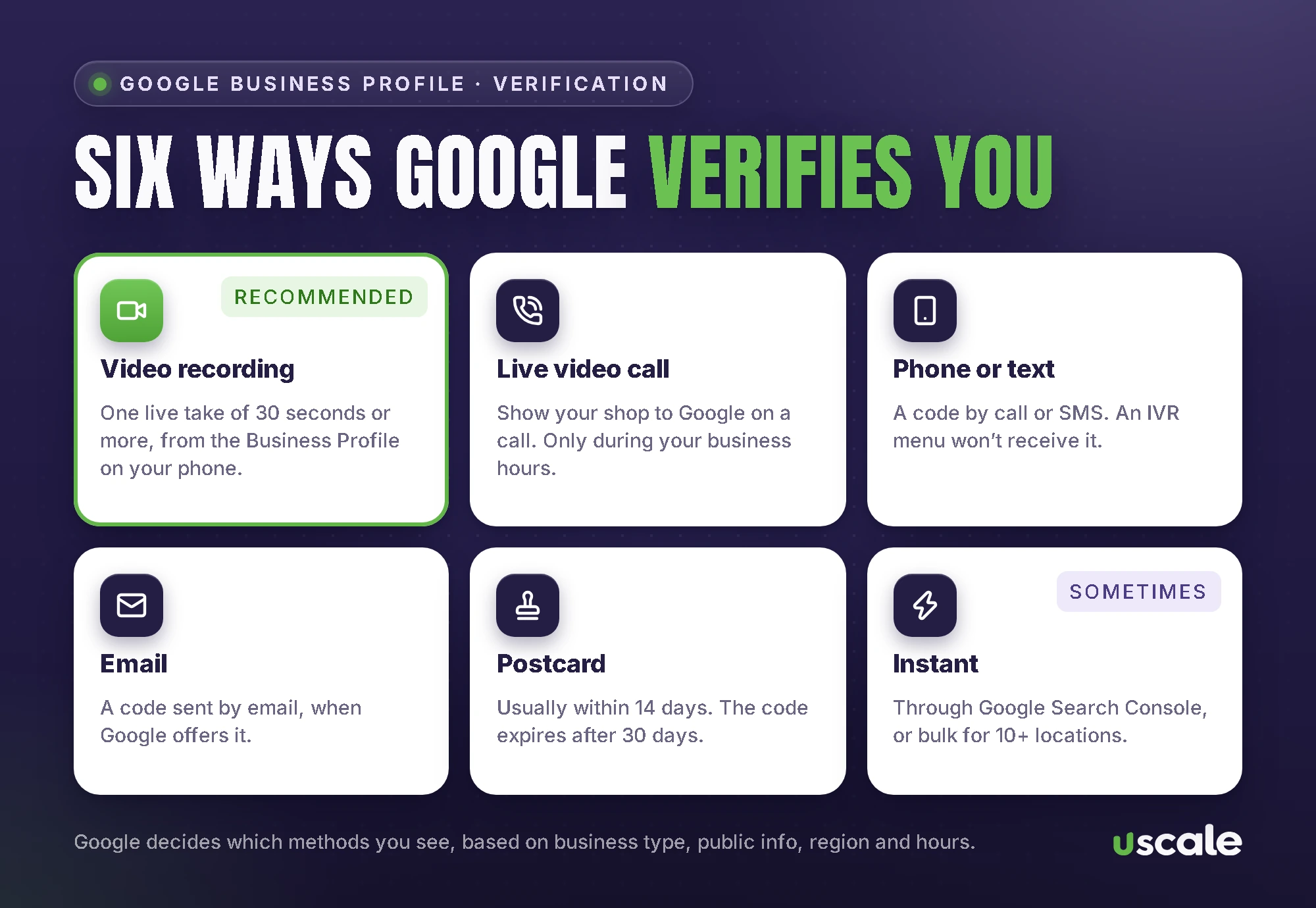
Video recording: filmed on your phone and reviewed by Google. Google says that if you're eligible, "we recommend that you use this option."
Live video call: you show your shop to Google on a live call. It's only offered during your business hours, and not to every business.
Phone or text: a code by call or SMS. Watch out: "Interactive Voice Response (IVR) systems won't get the code." If your shop number goes to a "press 1" menu, use a mobile number.
Email: a code sent by email.
Postcard: "Most codes arrive within 14 days", and codes expire after 30 days. While you wait, don't edit your name, address or category, and don't request a new code. Either one makes the first code stop working.
Instant: Google sometimes verifies straight away, if your website is already verified in Google Search Console, or through bulk verification.
Google Business Profile video verification, step by step
Google's video verification page sets the rules. The recording must be:
"An unedited, unique, and complete recording with no breaks."
"At least 30 seconds long."
"Recorded and uploaded from a mobile device through your Business Profile." Pre-recorded videos aren't allowed, so you can't film it in the gallery app and upload it later.
It must not show bank, tax or ID numbers, private information, or other people's faces. That last one catches a lot of shops: film before customers arrive, or keep staff out of frame.
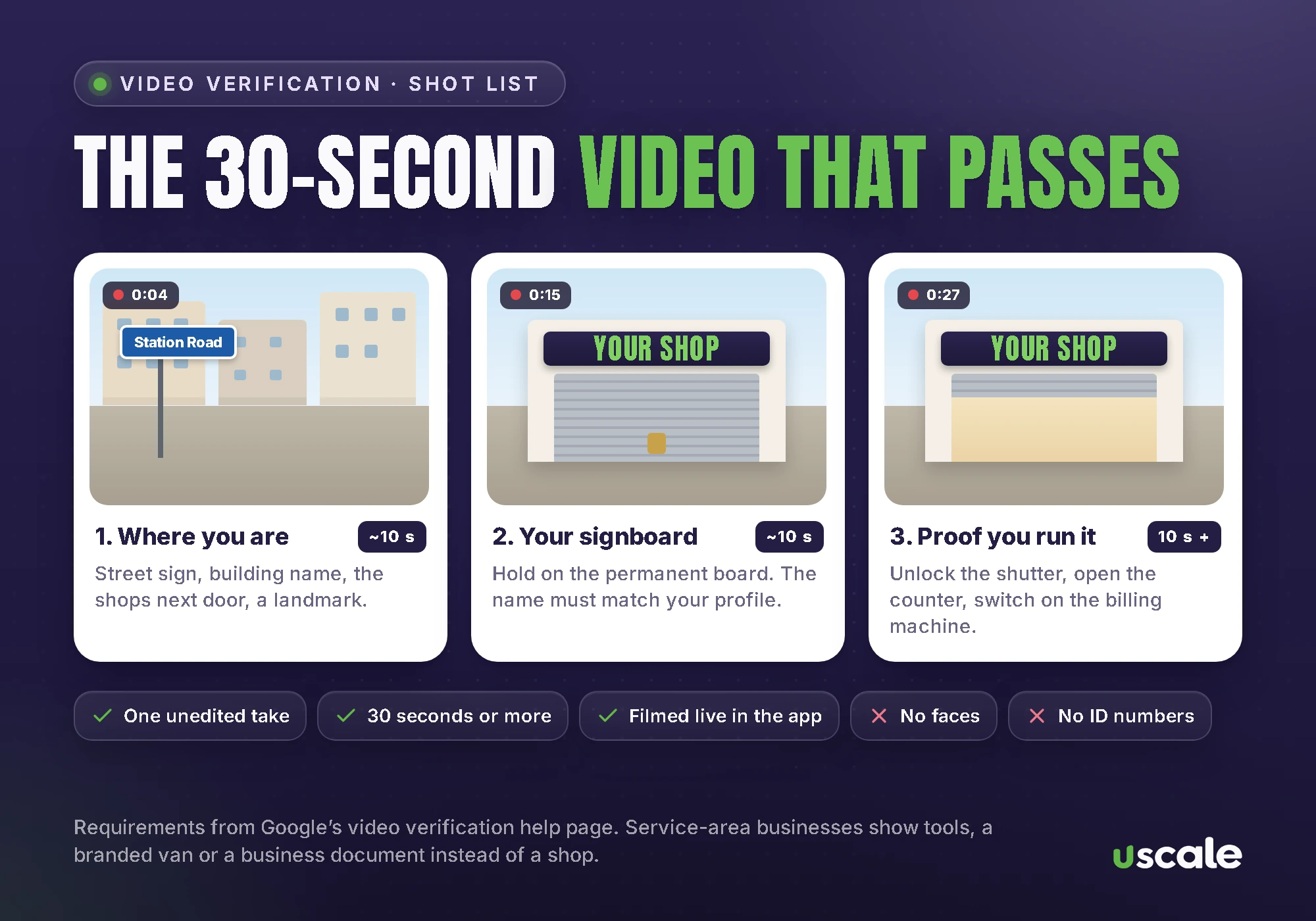
What to film, in this order
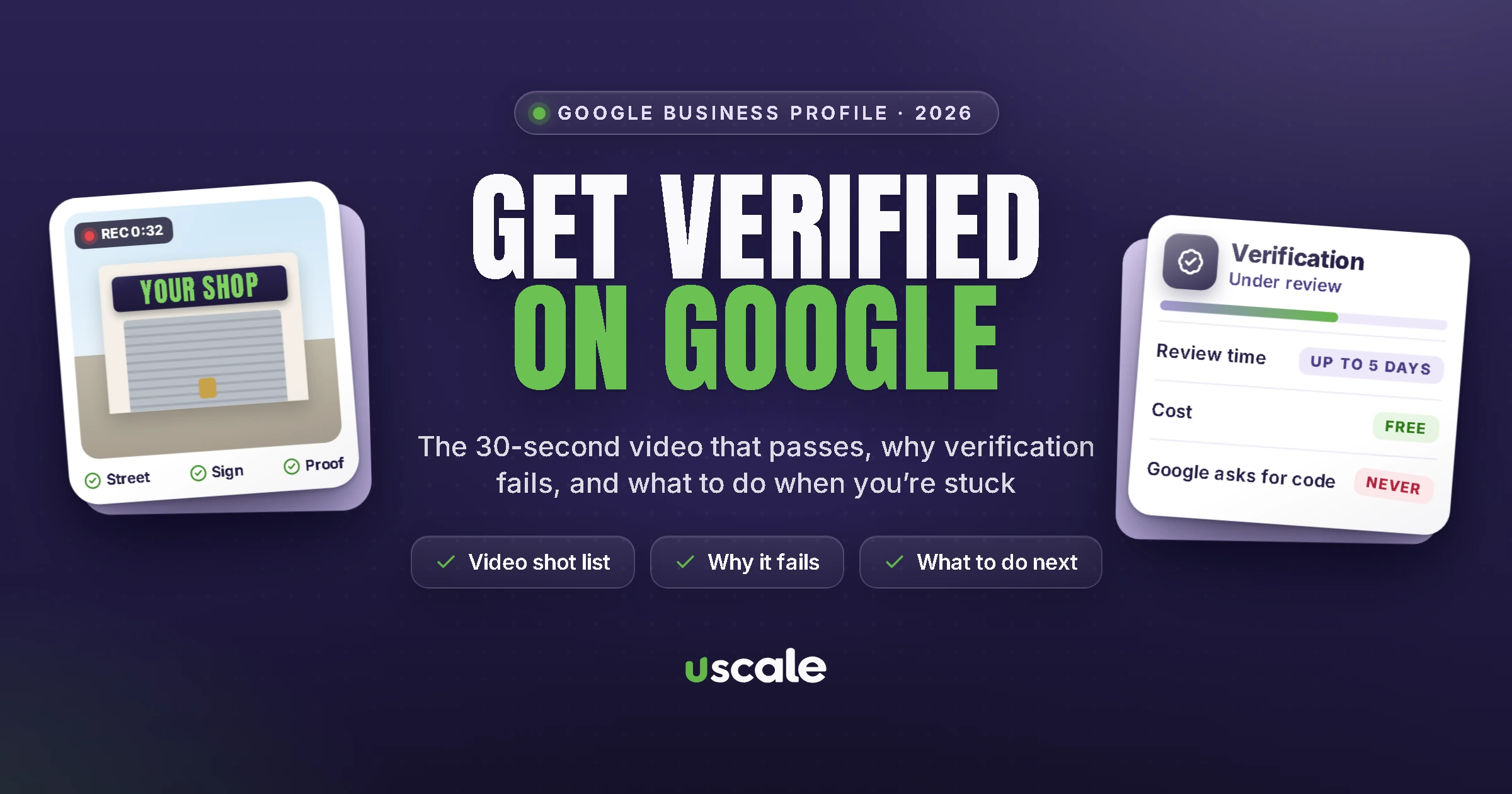
Where you are (about 10 seconds). Start outside. Google wants "street signs, building numbers, nearby businesses, or familiar places around your business". In Mumbai, that might be the lane name board, your building's name, the shop next door and a landmark like the station road.
That the business exists (about 10 seconds). Walk to your shop and hold on the signboard. Google says your name must be "clearly printed on a permanent fixture, like a signboard, wall, or window", and "the name shown in your video must match the name on your Business Profile."
That you run it (10 seconds or more). Google gives examples like "opening a cash register, kitchen, storage room, or using a point-of-sale system." In a Mumbai shop, that could be unlocking the shutter and switching on the billing machine.
Then tap through: Get verified, Business video, read the requirements, allow location, camera and microphone, record, review, and Upload video. If the upload fails, Google says to just upload it again.
Service-area and home-based businesses
Plumbers, tutors, caterers and home bakers don't have a storefront, and that's allowed. Google says to film street signs and nearby landmarks in your neighbourhood, then show your tools, equipment, products, business cards or branded clothing. For proof of management, it suggests unlocking a branded van. Or show a business document, such as "a business permit, invoice, or utility bill", in the same name as your profile. A GST certificate or Shop and Establishment licence in your business name would fit that description.
How long does verification take?
Google says reviews "take up to 5 business days. On rare occasions, reviews may take longer." You'll get an email when you're verified. To check where you stand:
Use Google's verification status tool.
A "Get verified" button appearing again means Google couldn't completely verify you. Try again.
"Review issues" means your video wasn't accepted. Google will tell you why.
"Give additional info to re-verify" usually means you changed some business details recently.
Why Google Business Profile verification fails
Google gives three example reasons for rejected videos: "Business name not visible on storefront", "No nearby area shown" and "Missing proof of authorization to operate the business". Behind those are a handful of common rule breaks:
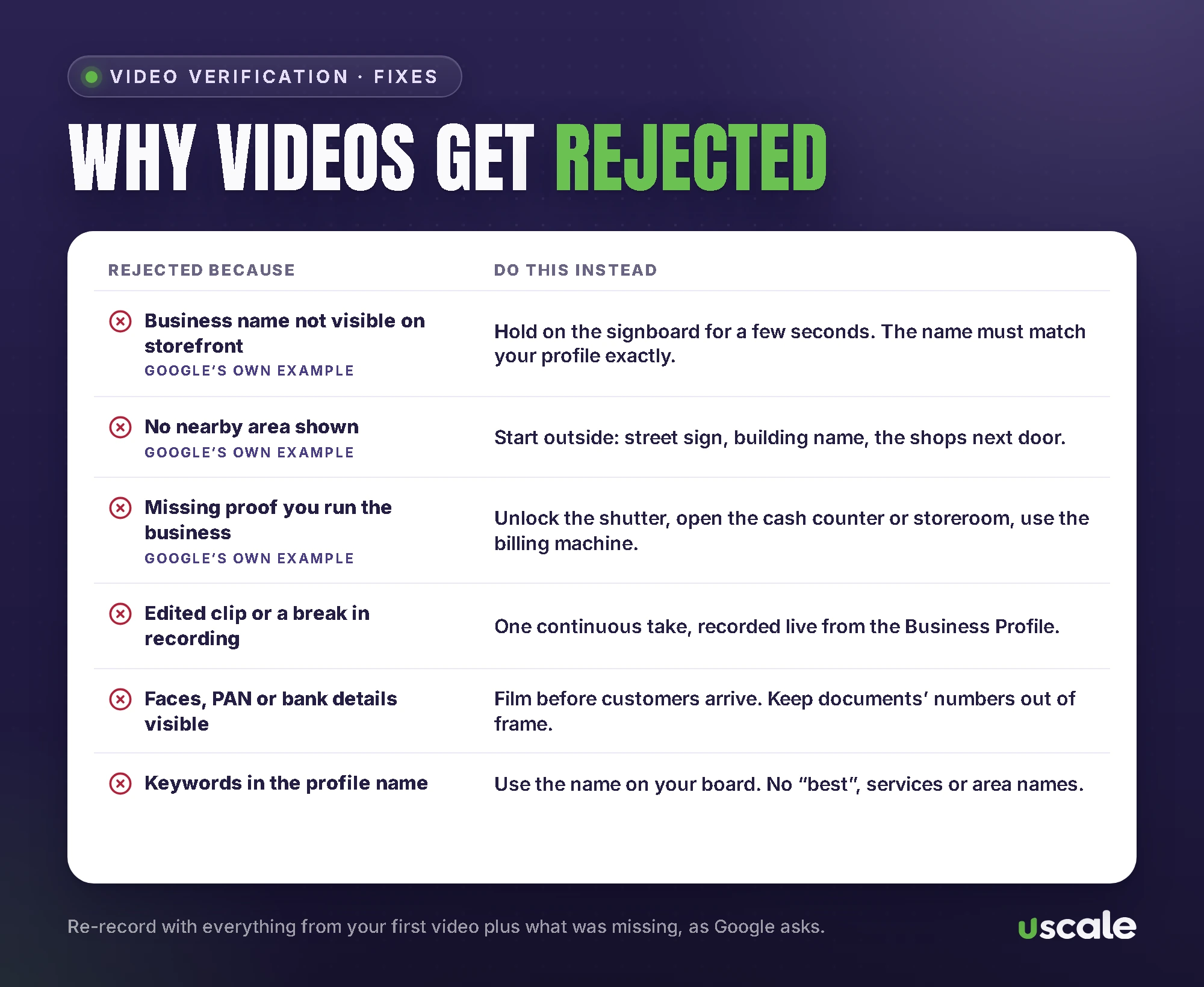
The sign doesn't match the profile. Say your board reads "Sharma Sarees" but the profile says "Sharma Sarees Best Silk Saree Shop Ghatkopar". Google's guidelines don't allow taglines, services or locations in the name, and it can lead to suspension.
No permanent signage. A banner tied to the railing, or no board at all, makes it hard to prove the business exists.
Virtual offices and co-working desks. A rented mailing address you don't work from isn't eligible. A co-working office counts only with clear signage, customers and staff.
The video breaks the rules. Edited clips, a pause in recording, under 30 seconds, faces, or a visible PAN or bank number.
You changed details mid-way. Editing the name, address or category during verification can restart it.
There's already a profile. If Google treats yours as a duplicate, it won't show on Search or Maps. Claim the existing one instead.
What to do if verification fails
Record a new video. Google asks that it include everything from your first video plus whatever was missing.
Try another method if Google shows you one.
Contact support at support.google.com/business/gethelp and choose the verification issue. Google says to try the available methods first, because it "makes it easier for us to provide assistance."
Ask the community. The Business Profile Help Community has volunteer product experts who see these cases daily.
If your profile is suspended rather than unverified, use Google's appeals process. Google accepts evidence like business registration, a business licence, tax certificates and utility bills. In India, that could be your GST certificate, Shop and Establishment licence, Udyam certificate or electricity bill. "Appeals can only be submitted once," so attach everything the first time. And don't create a new profile for the same business.
Can you verify without a video?
Honestly, not by choice. Google decides the methods. If it offers phone, email or a postcard alongside video, you can use those. Two instant routes exist: Google Search Console, if your website is already verified there, and bulk verification. Bulk is only for 10 or more locations of the same business, not for service-area businesses, and even then Google may ask for video.
Google has also been spotted testing a business photo and a government ID upload as methods this year. Neither is in Google's help pages yet. Be wary of anyone selling a guaranteed way to "skip video verification".
Verified but not showing on Google?
Verification doesn't mean instant visibility. Google says changes can take up to 3 days to appear. Edits are sometimes reviewed for up to 30 days. New businesses can take up to a month to show in search rankings. "In India and some places, we'll double-check your phone number," it adds.
If it's been longer, work through my guide on why a business isn't showing on Google Maps, or run your profile through my free Google Business Profile checker.
Verification scams to ignore
Google's help pages are clear on this:
"Creating a Business Profile and listing your business on Google is free." Nobody needs to pay to verify you.
"Google will never ask for payment, credit card information, or account passwords." It also never asks for your verification code. Don't share the code even with someone who manages your profile.
Google does send automated calls, texts and WhatsApp messages to confirm details. Its WhatsApp account has a blue tick and is named "Google Maps". If a caller says they're from Google and wants money, hang up without pressing any buttons.
If you hire someone, they should be added as a manager, never the owner, and never given your password. Google's rules say you must stay the owner, or a co-owner, of your profile at all times.
Stuck on verification?
Send me your profile link and what Google is asking for. I'll tell you what's blocking it and what to film, for free.
Once you're verified, the work that gets you found starts: categories, photos, reviews and posts. My local SEO and Google Business Profile management is ₹15,000 a month, and you stay the owner of your profile. Prices are on my pricing page.
Frequently asked questions
Google says verification reviews take up to 5 business days, and on rare occasions longer. Postcards usually arrive within 14 days and their codes expire after 30 days. When you're verified, Google sends a confirmation email.
Not by choice. Google says verification methods are automatically determined and can't be changed. If Google shows you other options, such as phone, email or postcard, you can try those. Profiles can also be verified instantly through Google Search Console or bulk verification for 10 or more locations, when Google offers it.
Google's examples are a business name not visible on the storefront, no nearby area shown, and missing proof that you manage the business. Videos also fail when they're edited or broken, shorter than 30 seconds, show other people's faces or private information, or when the name on the sign doesn't match the profile.
Check the status with Google's verification status tool, look for a Get verified or Review issues prompt in your profile, and follow it. If nothing has changed after 5 business days, contact Business Profile support through support.google.com/business/gethelp. Don't create a second profile for the same business.
No. Google says creating a Business Profile and listing your business is free, and it will never ask for payment, card details or passwords. Google also never asks for your verification code. If a caller wants money to keep you on Google, hang up.
Possibly. Google says you might need to verify again after changing your business name, and you must verify again after moving to a new address. Other changes to your business details can also trigger re-verification.
Written by Mehul Karotra
Mehul Karotra is a UI/UX developer-designer in Mumbai. Through U Scale he personally builds websites and runs SEO, social media, ads and AI search visibility for Indian businesses.