Ask Maps Is Here in India (and in Hindi): What Google’s AI Tells Customers About Your Shop
Customers can now ask Google Maps full questions, in English or Hindi, and get answers from Gemini. Here’s what Ask Maps reads, how to check what it says about your shop, and what to fix.
 Mehul KarotraFounder, U Scale
6 min read
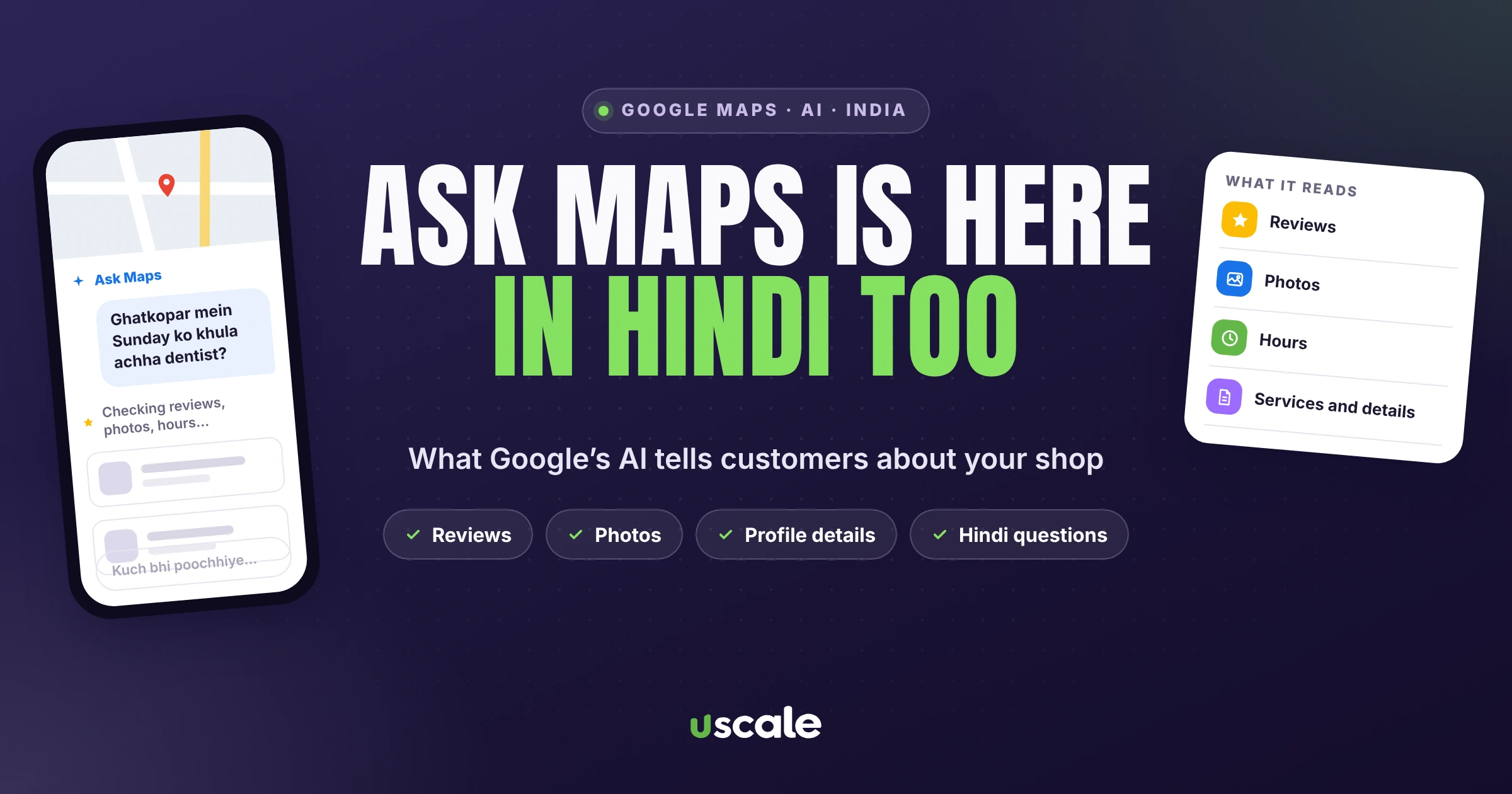
Your customers can now ask Google Maps a full question, the way they'd ask a friend, and get an answer written by Google's Gemini AI. In Hindi too. Google's own example for India: "My parents, who are senior citizens, are coming to visit Mumbai for the first time this weekend." Maps then suggests places, explains why, and shows them on a map.
This is Ask Maps. It launched in India in March 2026 and added Hindi in August, and most shop owners I meet haven't heard of it. For a local business, it changes the question from "do I show up for saree shop near me?" to "when someone asks Maps for a saree shop with parking that's open on Sunday, what does it say about mine?" This guide covers what Ask Maps is, what Google says it reads, and what you can do this week so it describes your business correctly.
What is Ask Maps?
Ask Maps is a chat feature inside the Google Maps app, powered by Gemini. Google launched it on 12 March 2026 in the US and India, on Android and iPhone. In India it started in English, and Google added Hindi on 6 August 2026.
Where to find it: in the Maps app, under the search bar, tap Ask Maps. You can type or speak, and ask follow-up questions. On a computer it's under the Menu.
What it can do: suggest places, plan routes, show how busy a shop or restaurant is before you go, and remember past conversations.
What Google warns: "AI-powered answers can sometimes be incorrect." Answers can include links to their sources.
The questions your customers are asking
Ask Maps questions aren't two-word searches. Here are examples from Google's own India launch post:
"Suggest some highly rated restaurants to try in the area"
"What are some places with good veg appetizers where I can watch the live streaming of today's match?"
"Which of these would be easiest to park in?"
Google's November 2025 India post adds questions about a single place, such as "does it have parking?"
Notice the conditions: veg, parking, a live match, senior citizens. Ask Maps can only match your shop to them if that information exists somewhere Google can read it. A profile with just a name, a phone number and four photos gives it almost nothing to work with.
What Ask Maps reads, according to Google
Google says Ask Maps analyses information from over 300 million places, reviews from more than 500 million contributors, and "insider tips from real people and web content". It also personalises answers based on places the person has searched for or saved.
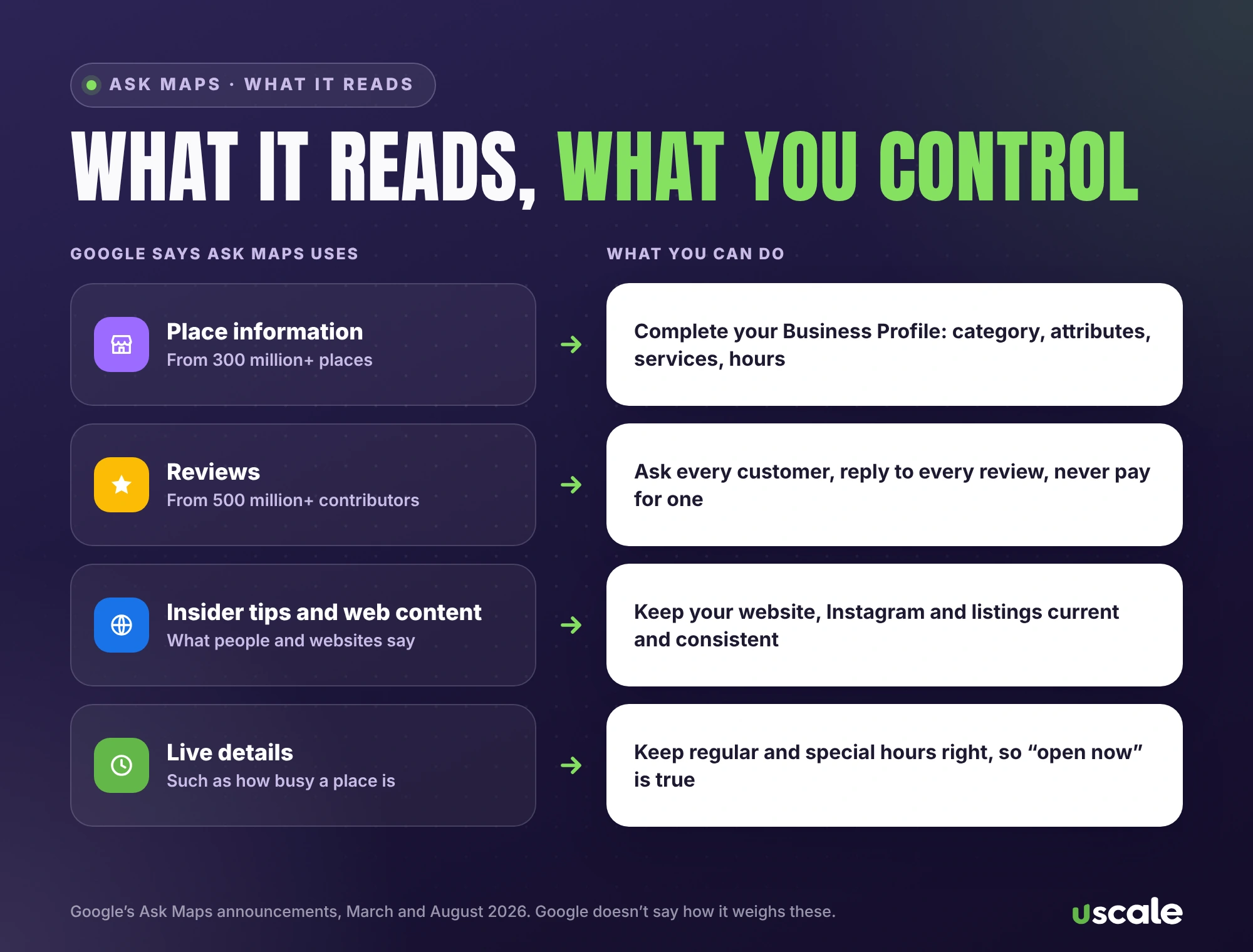
Google doesn't say how it weighs these, and it doesn't name Business Profile fields as an input. But it does say its business information comes from owners who claim their profiles, from what users contribute and from crawled web content. So the practical answer is the same: everything Google knows about your business should be complete, current and consistent.
8 ways to help Ask Maps describe your shop correctly
1. Fill in every Business Profile field
Google's local ranking guide says: "Make sure your business info is as complete as possible in your Business Profile." That means address, regular hours, special hours, categories and a plain description of what you sell and for whom, up to 750 characters.
2. Choose the most specific primary category
"The categories you select affect your local ranking on Google," says Google. Pick the main one that best describes your business: the most specific option for what you sell, not a general one like "Clothing store". Don't add a category for every product.
3. Add attributes: they are the answers to conditions
Wi-Fi, wheelchair-accessible parking, outdoor seating, women-owned: these are attributes, and they're exactly the conditions people put in Ask Maps questions. Add every one that's true for you.
4. List your services, products or menu, with prices
Add your main services or products, in the words customers use. Restaurants can add a menu. Google says it may also pick up menu details from your website, and that changes take 24 to 48 hours to show.
5. Add real, recent photos
Google recommends category-specific photos and asks for images without heavy filters or AI edits. Show the counter, the parking, the seating, the products. Photos answer "what's it like?" before anyone asks.
6. Get a steady flow of honest reviews, and reply
Reviews are one of the inputs Google names. Ask every customer for a review, reply to all of them, and never offer anything in return. Don't script what customers write: Google's policy doesn't allow businesses to solicit reviews with specific content. My guide to getting more Google reviews has ready messages you can use, and if reviews have gone missing, see why Google reviews disappear.
7. Make your website say the same things
Ask Maps uses web content too. If your website still shows last year's timings, an old phone number or a closed branch, that's information that can end up in an answer. Check your homepage, contact page and prices, and remove expired offers.
8. Watch for wrong edits
Anyone can suggest edits to your listing. Google says "you have 4 days to accept or reject the suggestion", and it may apply some without review. Check your profile weekly and correct anything wrong.
Test it yourself in 10 minutes
You can't see a report of what Ask Maps says about you, so ask it. Open the Maps app, tap Ask Maps, and ask the questions your customers would ask about your area, in English and in Hindi or Hinglish.
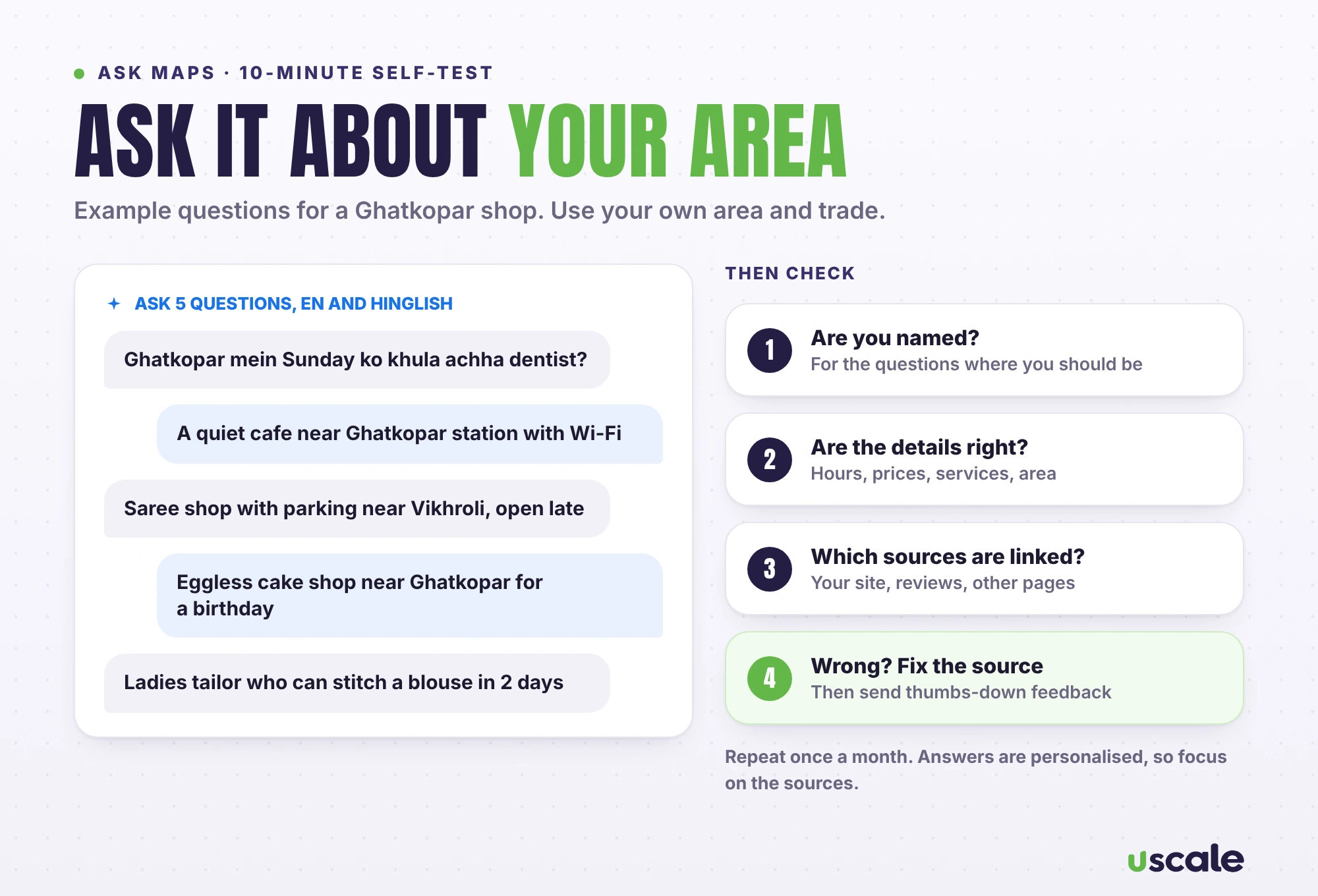
Ask five real questions, such as "Ghatkopar mein Sunday ko khula achha dentist?" or "a quiet cafe near Ghatkopar station with Wi-Fi".
Check three things: are you named, is what it says about you right, and which sources does it link to?
Fix the source, not the answer. If it's wrong, correct your profile or website first.
Send feedback. Google's help page says: "If something doesn't look right, send feedback to Google". Use the thumbs-down on the answer and describe the problem.
Answers are personalised, so what you see may differ from what a customer sees. That's why the sources matter more than any single answer.
What you can't control
You can't pay for better ranking. Google says "There's no way to request or pay for a better local ranking on Google." It hasn't said anything about ads in Ask Maps, so anyone selling guaranteed Ask Maps placement is promising something Google doesn't offer.
There's no owner dashboard. No Google page offers owners a view of Ask Maps answers about them, or a special way to correct them.
Not every feature is in India yet. Some newer additions, such as suggesting edits by chat and ordering food inside Ask Maps, started in the US first.
If you've read my guide to getting recommended by ChatGPT and Google AI Mode, you'll notice the same pattern. AI tools repeat what the web already says about you, so the work is making that information complete and correct everywhere.
What does Google’s AI say about your shop?
Send me your shop name and area. I'll check how Ask Maps and other AI tools describe you, and send you the fixes that matter most. Free.
For ongoing work, my AI search visibility service keeps your website and listings in shape for Google's AI and ChatGPT, with prices on the pricing page.
Frequently asked questions
Ask Maps is a chat feature in the Google Maps app, powered by Gemini. You ask a question in text or by voice, such as where to eat with parking nearby, and Maps answers with suggested places, using information from over 300 million places, reviews, insider tips and web content.
Yes. Google launched Ask Maps in India on 12 March 2026 in English, on Android and iPhone, and added Hindi on 6 August 2026.
Open the Google Maps app and tap Ask Maps under the search bar. Type or speak your question and ask follow-ups. On a computer, it’s under the Menu.
Not as far as Google has said. Google says there’s no way to request or pay for a better local ranking, and it hasn’t announced paid placement in Ask Maps. What helps is a complete, accurate Business Profile, genuine reviews, good photos and a website that matches your profile.
Fix the source first: your Business Profile and your website. Then use the thumbs-down feedback on the answer to tell Google what’s wrong. Check suggested edits to your listing too, because Google gives owners 4 days to reject them.
Written by Mehul Karotra
Mehul Karotra is a UI/UX developer-designer in Mumbai. Through U Scale he personally builds websites and runs SEO, social media, ads and AI search visibility for Indian businesses.