Your Instagram Posts Now Show Up on Google: Instagram SEO for Local Shops
Public posts and reels from professional Instagram accounts can now appear in Google search. Here's how to check your account and write captions and reels that bring local customers.
 Mehul KarotraFounder, U Scale
5 min read
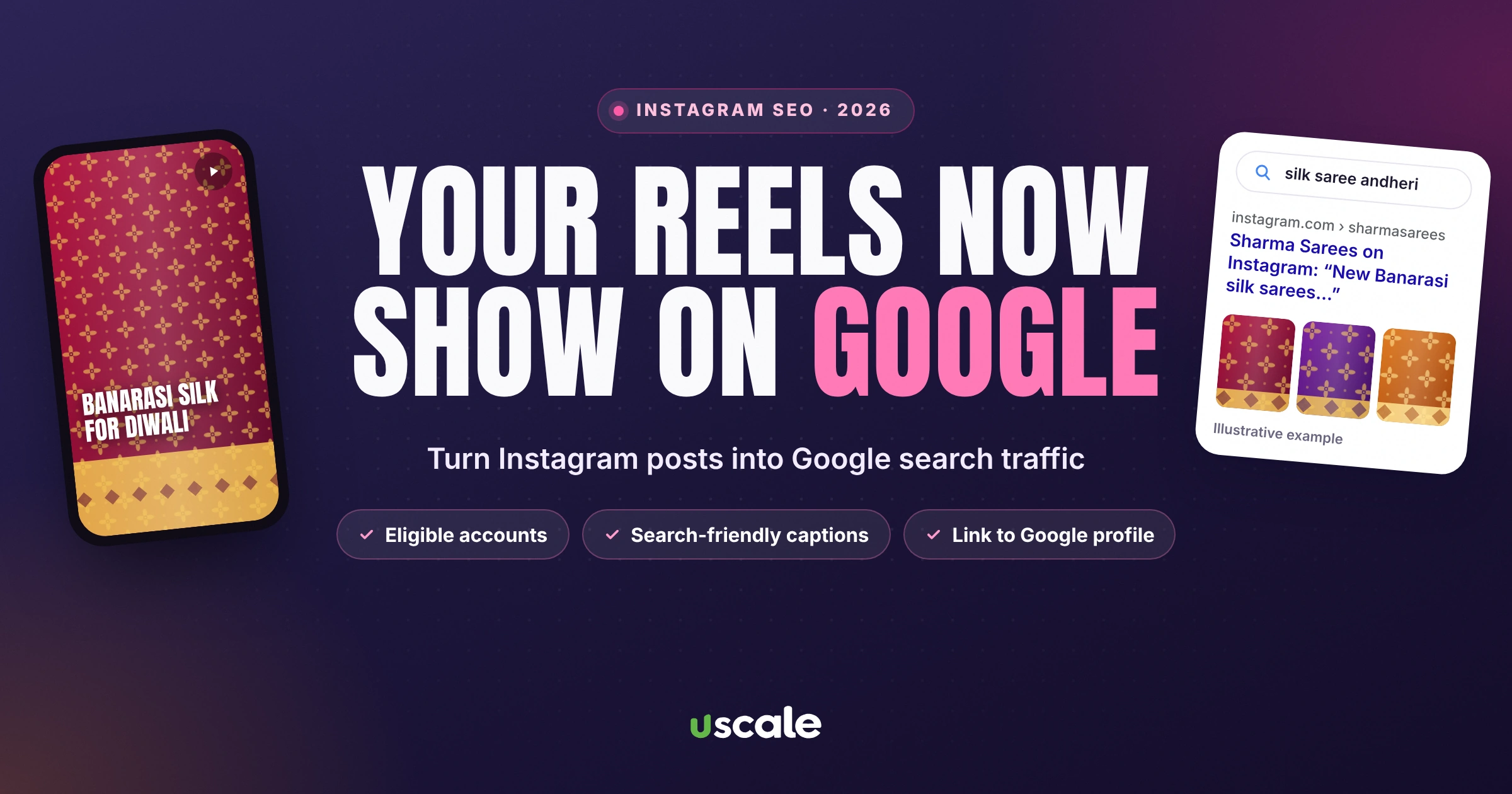
For years, your Instagram posts lived only inside Instagram. That changed on 10 July 2025. Public posts and reels from professional Instagram accounts can now be indexed by search engines like Google and Bing (afaqs!). That makes Instagram posts on Google search a new, free way for local customers to find you. A reel of your festive collection can now show up when someone in your area searches for exactly that.
For a local shop, this is a free second chance at every search. This guide explains what changed, how to check your account is eligible, and how to write captions and reels that Google can understand, without turning your Instagram into a keyword dump.
What changed: Instagram posts on Google search
Who's included: public, professional (business or creator) accounts of people over 18.
What's included: photos, videos and reels posted from 1 January 2020 onwards.
How to opt out: turn the option off in your privacy settings, switch to a private account, or switch back to a personal account.
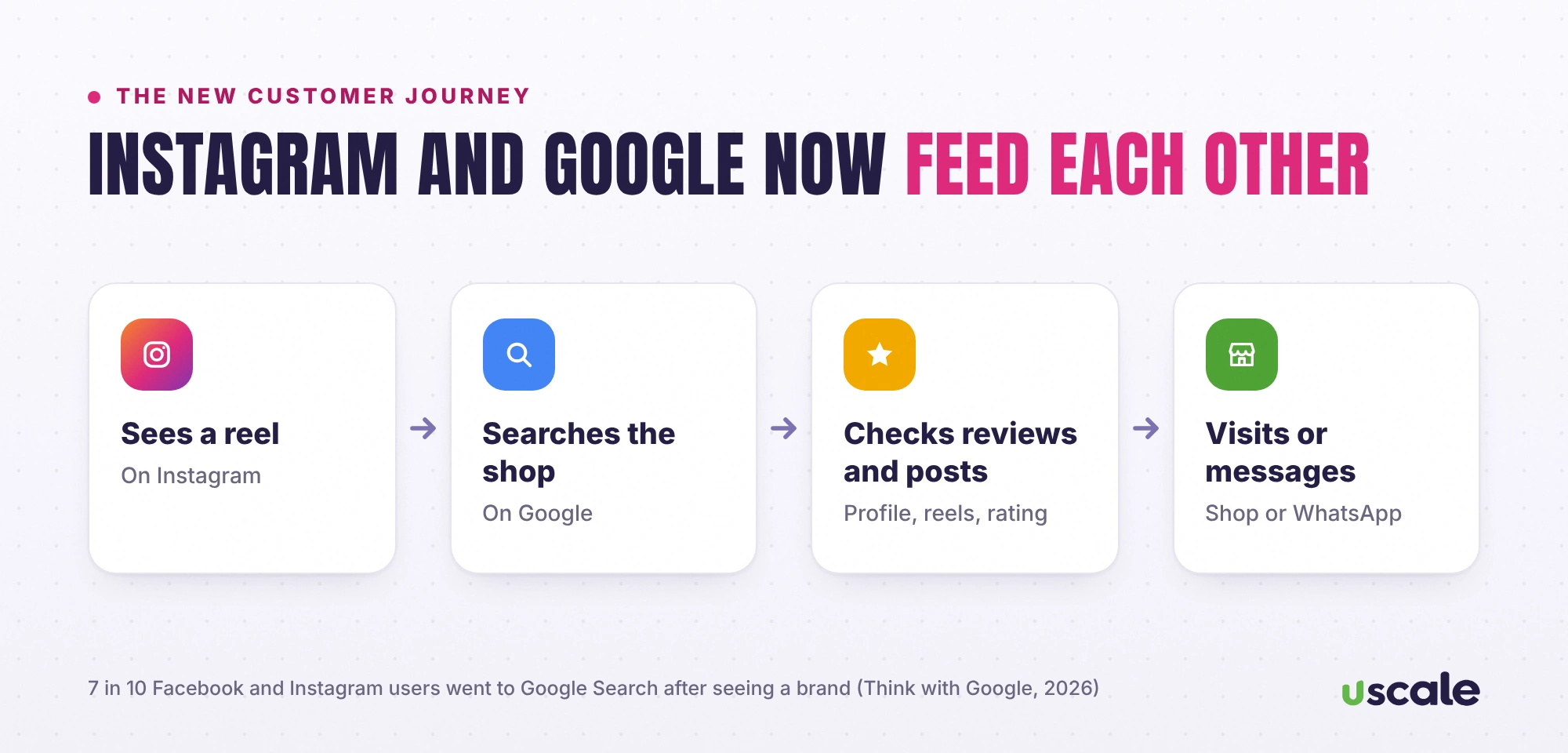
Why it matters: in Google's 2025 India study of festive shoppers, nearly 7 in 10 Facebook and Instagram users went to Google Search after seeing a brand (Think with Google, 2026). Your customers already move between the two. Now your Instagram content can meet them on Google too.
Step 1: Check your account is eligible
Make sure your account is public.
Switch to a professional account (business or creator) in Settings, under the account type and tools section, if you haven't already.
Look in your privacy settings for the option that lets public photos and videos appear in search engine results, and make sure it's on. The Week lists it under Settings, Privacy, Search engine indexing.
Step 2: Write captions that Google can read
Search engines can't watch your reel the way a person does. They rely heavily on the text around it. A caption like "Festive vibes ✨🔥" tells Google nothing. Compare:
Weak caption | Search-friendly caption |
|---|---|
Festive vibes ✨🔥 | New Banarasi silk sarees for Diwali, from ₹4,500. In store now at our Andheri East shop, open till 10 pm. |
New stock alert!! | Fresh 18 mm marine plywood and laminates in 40 shades. Free delivery across Andheri and Jogeshwari. |
Weekend mood 💇♀️ | Keratin treatment for frizzy hair at our Lokhandwala salon. Book a slot on WhatsApp. |
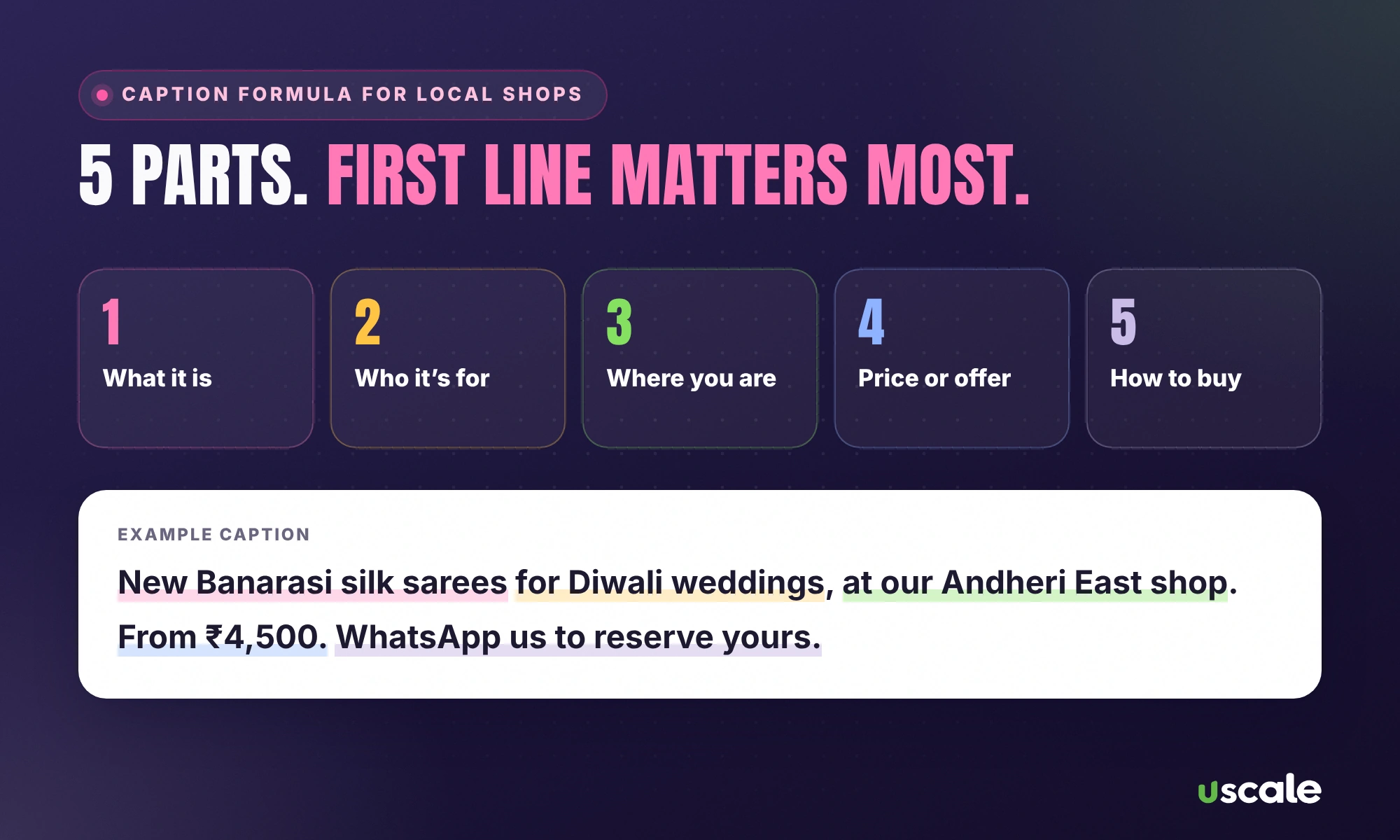
The pattern: what it is + who it's for + where you are + price or offer + how to buy. Put the most important words in the first line, because that's what shows in search results. Keep emojis and hashtags, just don't let them replace the words.
Step 3: Make reels and photos readable
Add alt text to photo posts (Advanced settings, then Accessibility) describing the product: "Red Banarasi silk saree with gold zari border".
Put a short text line on the reel's opening frame, such as "Diwali saree collection 2026", and say the key words out loud. Instagram generates captions from speech, and those words help people and search engines understand the video.
Name the place. Add your shop as the location tag on every post.
Step 4: Turn your profile into a mini landing page
Your username, name field and bio are the most visible text on your profile. Use your real business name, your main category and your area: "Sharma Sarees | Silk & Bridal Sarees, Andheri East". Add your phone or WhatsApp, timings and a link to your website or Google profile. Highlights for "Prices", "Location" and "Reviews" answer the questions buyers have before they visit.
Step 5: Connect Instagram and Google both ways
Add your Instagram profile link to your Google Business Profile, and link your Google profile or website from your Instagram bio. Then reuse your best photos and reels on your Google profile. Google lets you add photos and videos to show what you offer, and fresh visual content tells shoppers you're active. When someone finds you on one platform, the other should confirm the same name, address, prices and photos.
Step 6: Measure what's working
In Instagram Insights, check how many people reached your posts from outside your followers. In your Google Business Profile, watch calls, direction requests and website clicks. If a type of post (say, price-led reels) brings more profile visits and calls, make more of it. If you have a website with Google Analytics, you'll also see visits arriving from your Instagram link.
A simple 7-day posting plan for a local shop
Day | Post | Caption focus |
|---|---|---|
Monday | Reel: your best-seller up close | Product name, price, "in store now" |
Tuesday | Photo carousel: 5 new arrivals | Each item named, with price range |
Wednesday | Reel: behind the scenes (packing orders, alterations) | What you do and how fast |
Thursday | Customer photo (with permission) or review screenshot | What they bought and why they liked it |
Friday | Offer post with dates | Exact offer, valid dates, how to claim |
Saturday | Reel: "how to choose" tip (e.g. silk vs georgette) | Answer a question customers ask |
Sunday | Story only: timings, location, a quick shop tour | Open hours, directions |
Three of these become Google content too: upload Monday's, Tuesday's and Friday's posts to your Google Business Profile the same day.
A 20-second reel script you can reuse
0–3 seconds: on-screen text with the product and area: "Banarasi silk sarees, Andheri East".
3–12 seconds: show three pieces up close and say the price range out loud.
12–17 seconds: the shop front and board, so people recognise you when they arrive.
17–20 seconds: "WhatsApp us to reserve, open till 10 pm".
Saying the product, area and price out loud matters: the words in your reel's audio, captions and text are what help it get understood and found.
What to avoid
Hashtag stuffing. Thirty hashtags and no words help nobody. Five relevant hashtags plus a clear caption work better.
Different names everywhere. If Instagram says "Sharma Saree House" and Google says "Sharma Sarees", customers, and search engines, wonder whether it's the same shop.
Going private to "look exclusive". Private accounts can't be indexed by search engines at all.
Want your Instagram to bring customers from Google too?
I'll review your Instagram and Google profiles together for free and show you the five changes that matter most.
If you'd rather hand it over, my social media management service covers reels, captions and posting, and my local SEO service keeps your Google profile in step. Every price is on the pricing page. For your Google side, start with how to get more Google reviews.
Frequently asked questions
Yes. Since 10 July 2025, public photos, videos and reels from professional (business or creator) Instagram accounts of people over 18 can be indexed by search engines such as Google and Bing. Posts from 1 January 2020 onwards are included.
Turn off the search engine option in your Instagram privacy settings, make your account private, or switch from a professional account to a personal one. Content that's already indexed can take time to disappear from search engines.
Not much on their own. Search engines rely on the words in your caption, alt text and profile. A clear caption that says what the product is, where you are and the price does far more than a long list of hashtags.
Both, and connect them. Many shoppers see a brand on Instagram and then check it on Google before visiting, so your Instagram and Google profiles should show the same name, prices, photos and timings.
Written by Mehul Karotra
Mehul Karotra is a UI/UX developer-designer in Mumbai. Through U Scale he personally builds websites and runs SEO, social media, ads and AI search visibility for Indian businesses.